
Transportation Cost Accounting in Complex Supply Chains using Landed Cost and Transportation Management Modules
By Pavel Novikov, Senior Functional Consultant, Industry Consulting Service (ICS)
The modern world of fierce competition requires companies to optimize many business processes. One of the main processes for optimization is the purchase and transportation of goods. There are many areas for improvement here, such as negotiating better purchase prices, reducing transportation costs, reducing delivery times, and ensuring on-time delivery. The Microsoft Dynamics 365 Supply Chain Management (D365SCM) system helps companies automate such processes and reduce labor costs for operations.
In this article, I would like to highlight a few points about how the D365SCM system automates the processes of transportation and calculation of transportation costs using Landed cost and Transportation management modules using an example of purchasing and transporting goods in a company with several legal entities. Here it is worth considering two main options for purchasing and distributing goods in the company’s supply chains. In the supply chain of each legal entity there will be a distribution center (DC) and warehouses and there may be external hubs for delivery of import purchase orders. (Note: The creation of the order chains themselves is also a process, but our current aim is to examine the aspects of the process of transporting goods.)
A supplier ships the goods in boxes in containers, and there are two main scenarios:
The needs in goods of several legal entities are consolidated into a common purchase order with a delivery to an external hub. This approach to order formation allows the company to negotiate with the supplier the best discount on the product. It also allows to choose delivery terms that are beneficial to the buyer and allows to control delivery times. After the goods are delivered to the hub, the goods are palletized for each warehouse and consolidated into shipments for each distribution center. At distribution centers, the goods are reloaded into voyages for transportation to destination warehouses.
In each country a general purchase order is generated at the distribution center for the number of warehouses which need to be replenished from this center. In this case, the purchase is carried out without performing warehouse operations at the hub, but the order volume will be smaller and the prices will not be as favorable as in the first option. The goods are delivered to the distribution center, then palletized according to the needs of each warehouse and transported to them.
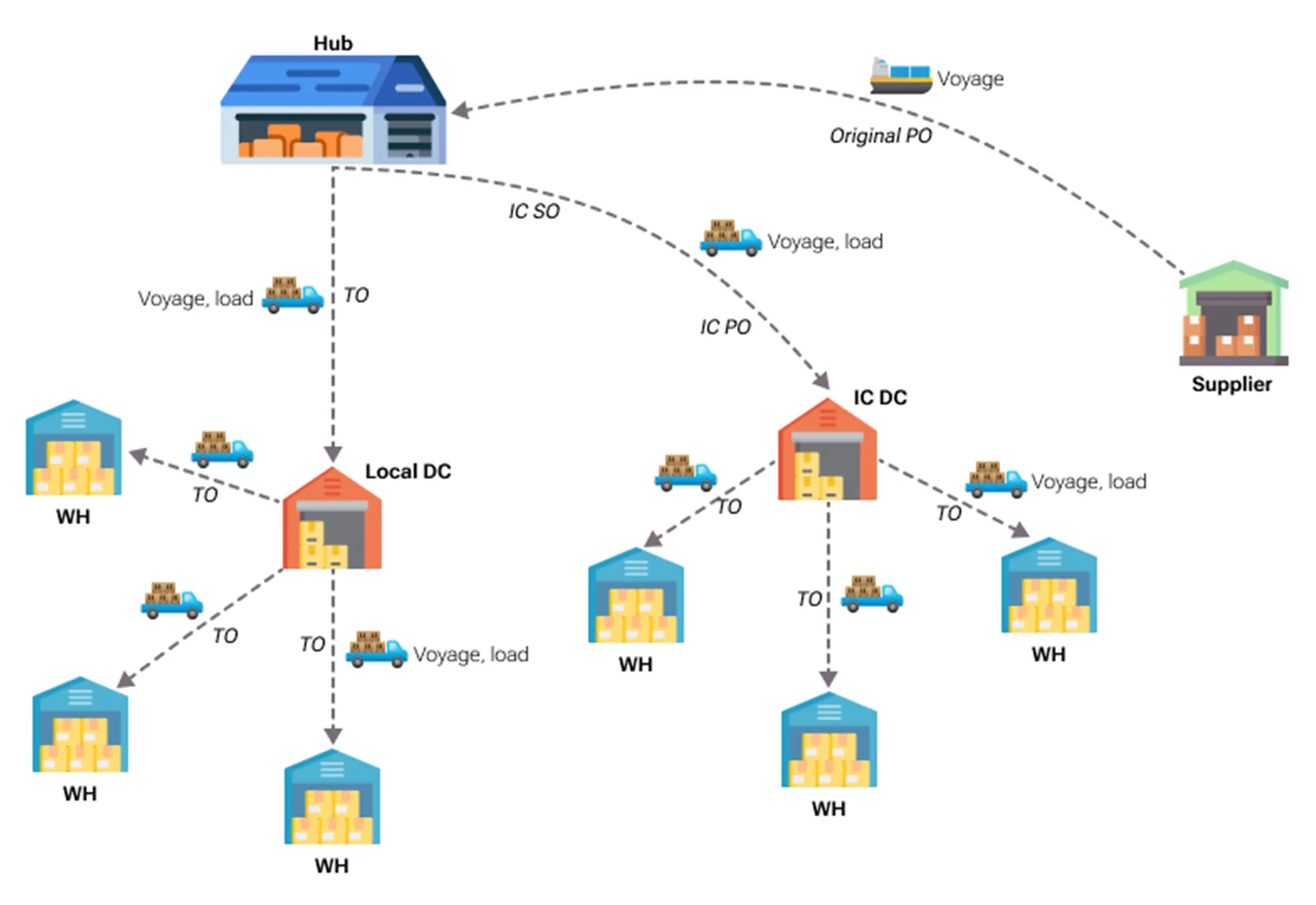
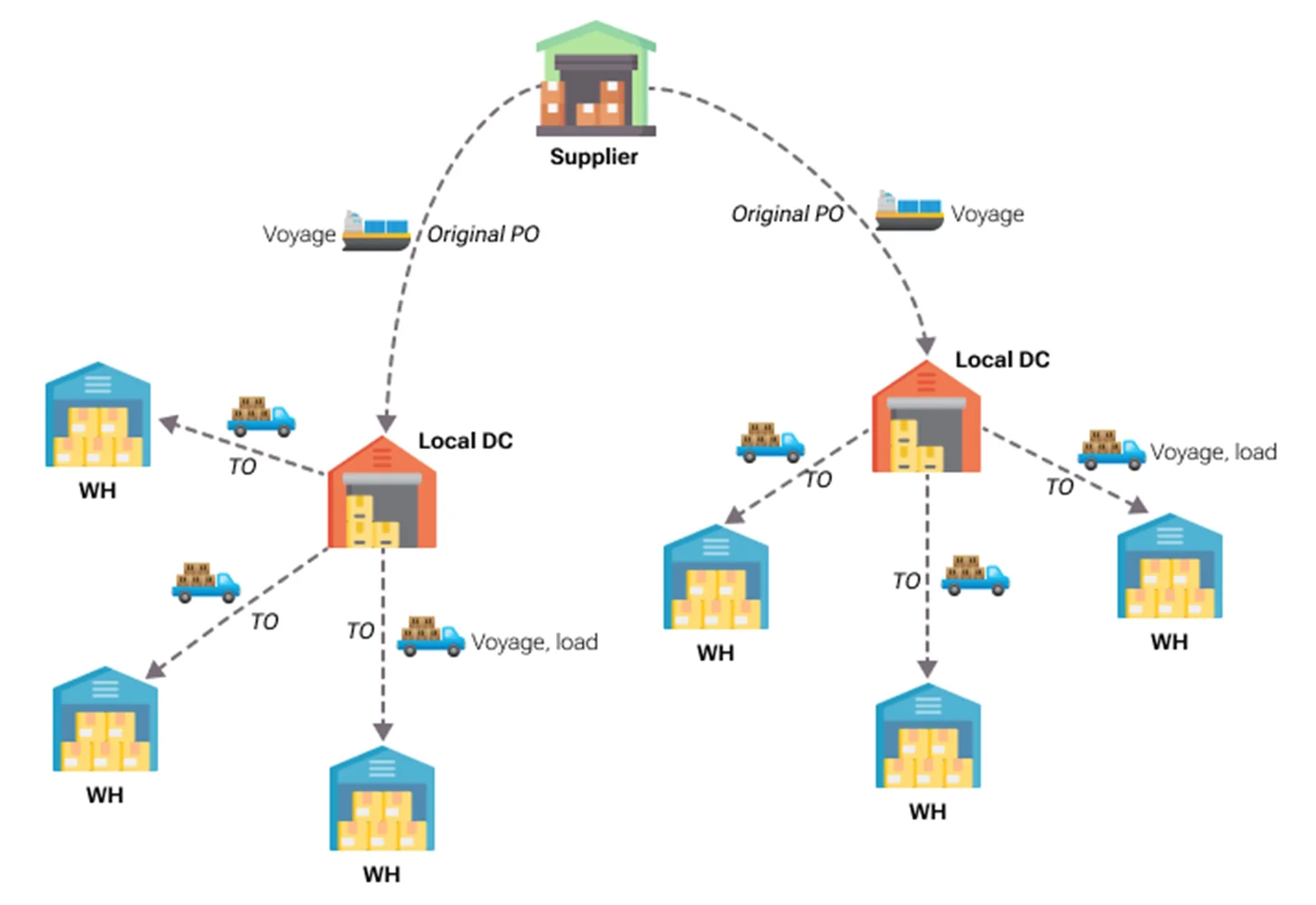
A few words need to be said about the configuration of the D365SCM system to perform this kind of business process for purchasing and transporting goods. In every legal entity there is a distribution center warehouse and local warehouses. In the legal entity in which the purchase for the hub is made, an additional warehouse for the hub will be established. It is important to note here the choice of warehouse type – basic or advanced. In my opinion, you should use advanced warehouses for hubs and distribution centers, while local warehouses can be of basic or advanced type. Advanced warehouses allow you to use License plate analytics for tracking boxes/pallets and provide the ability to use Loads to perform warehouse operations.
A bit of information about Landed cost and Transportation management modules:
- The Landed cost module is designed to automate inbound logistics with a large list of capabilities. For our process, the module provides the ability to create Voyage for Original Purchase order, enter container information, select a route configuration with cost calculations, register the transfer of ownership of the goods in transit, register actual costs and distribute transportation costs to the cost of the goods. Also, it allows to create Voyage for Transfer orders, select a route configuration with cost calculations, distribute transportation costs to the cost of the goods.
Transportation management module automates inbound and outbound logistics. For our scenario, the module provides the ability to create Loads IC Purchase order. For Inbound load of IC Purchase order, it allows to enter ASN data to simplify the receipt of goods, select a route configuration with cost calculations, allocate transportation costs to the cost of the goods.
To automate this transportation business process, different types of orders will be used (Original Purchase orders, IC Sales and IC Purchase orders, Transfer orders) and objects for transportation accounting (Voyage and Loads) in the company’s supply chains. In our example, we can designate two types of legal entity, which will have their own possible order sets:
- Legal Entity with hub – a legal entity, in which an Original Purchase order is created with delivery to a hub.
Legal Entity with DC – a legal entity, in which there is a DC. Goods can be purchased from Legal entity with hub through IC orders (Option A) or directly through an Original Purchase order (Option B).
In the tables below, you can see which orders and which transportation accounting entities are used for our two scenarios for orders in the supply chain.
Option A:
| Legal Entity | Transportation Purpose | Supply Order Type | Logistics Order Type | Method of Adjusting Inventory Cost |
|---|---|---|---|---|
Legal Entity with hub |
Delivery from Supplier to Hub |
Purchase order |
Voyage |
Landed costs are added to Inventory cost |
Legal Entity with hub |
Delivery from Hub to local DC |
Transfer order |
Load, Voyage |
Landed costs are added to Inventory cost |
Legal Entity with hub |
Delivery from local DC to local warehouses |
Transfer order |
Load, Voyage |
Landed costs are added to Inventory cost |
Legal Entity with hub |
Delivery from Hub to IC DC |
IC Sales order |
Load |
Transportation costs are not used |
Legal Entity with DC |
Delivery from Hub to IC DC |
IC Purchase order |
Load |
Miscellaneous charges are added to Inventory cost |
Legal Entity with DC |
Delivery from local DC to local warehouses |
Transfer order |
Load, Voyage |
Landed costs are added to Inventory cost |
Now, let's look at the main points of transportation accounting for each type of order in the supply chain. We will create demo examples based on standard demo data from USMF companies (let’s assume our company has a hub) and USRT:
► Delivery from Supplier to Hub
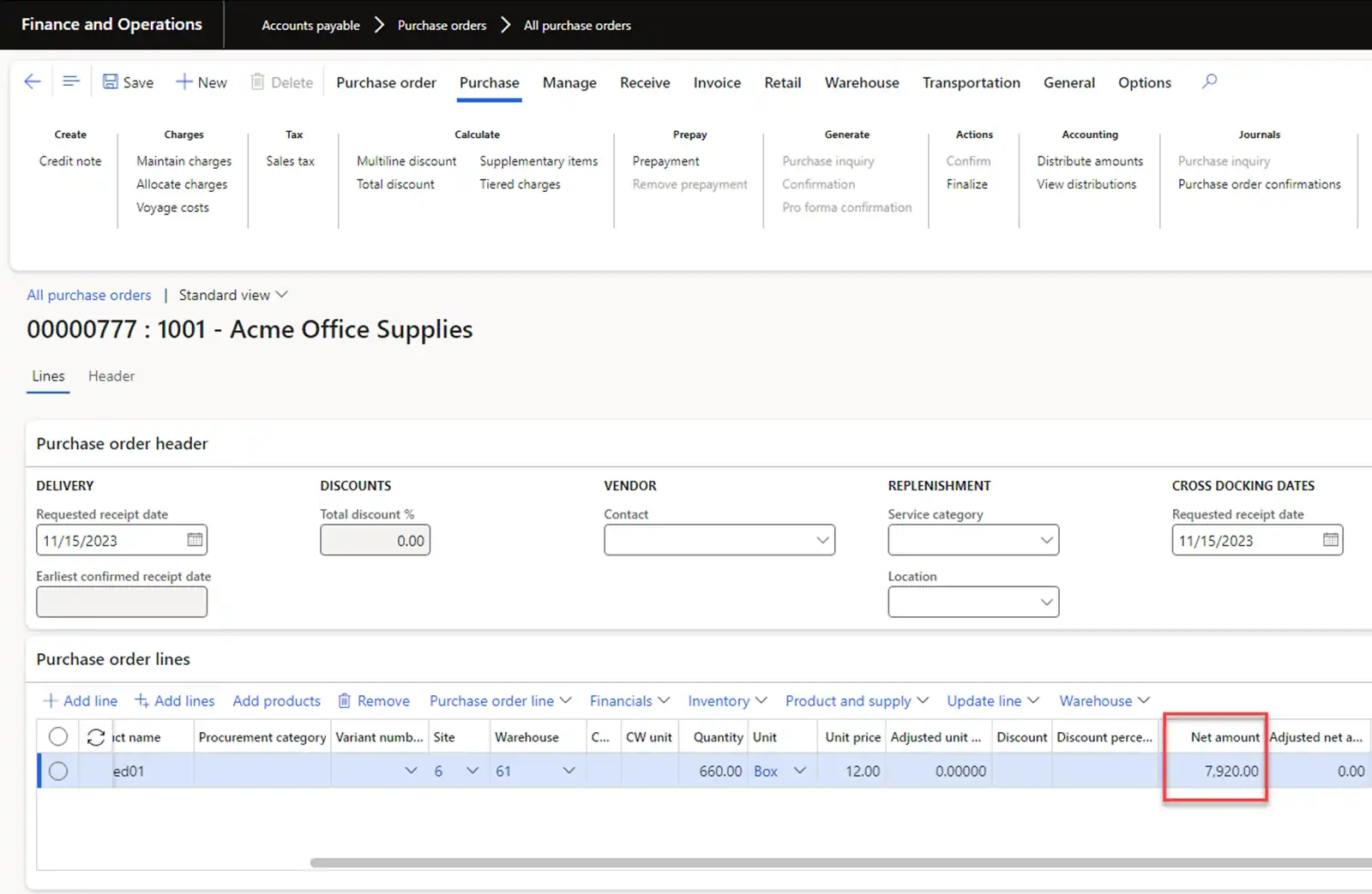
To demonstrate this scenario, let’s create an Original Purchase order for the purchase of one product with a quantity of 660 boxes (11 pallets) and net amount of 7920 USD. Sales calculation tax will be excluded to simplify calculations.
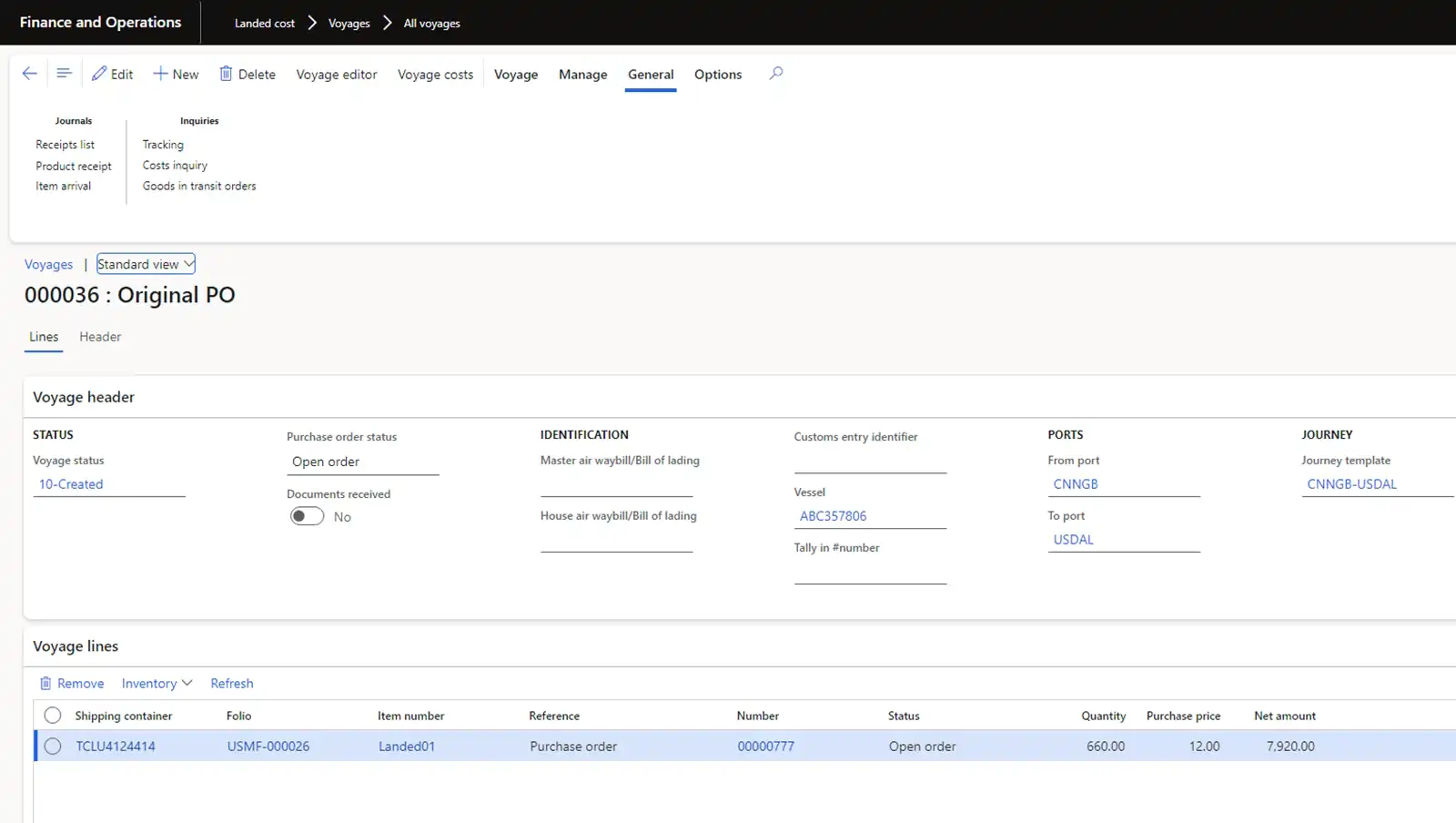
Let’s create Voyage and Shipping container for accounting of transportation operations and for cost accounting.
The system calculates transportation costs using auto costs. For example, 1100 USD:
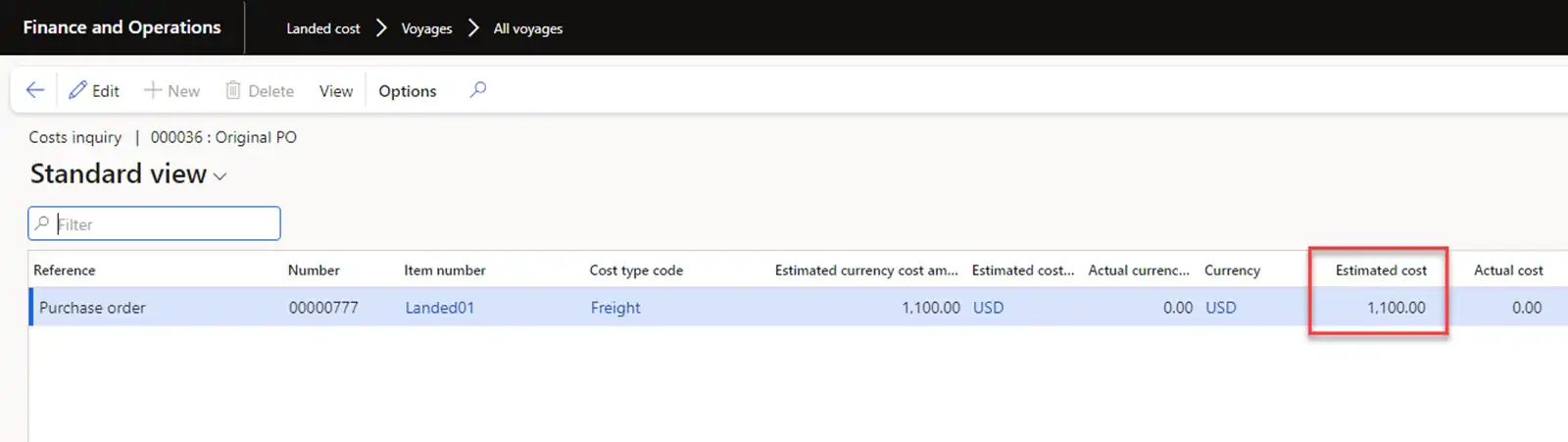
According to the terms of delivery, ownership of the goods passes to the buyer before receipt at the warehouse. Posting a purchase invoice adds transportation costs in inventory costs and creates goods in transit. The total cost of our inventory cost
will be 7920 + 1100 = 9020 USD. Let’s check this amount in inventory transactions.
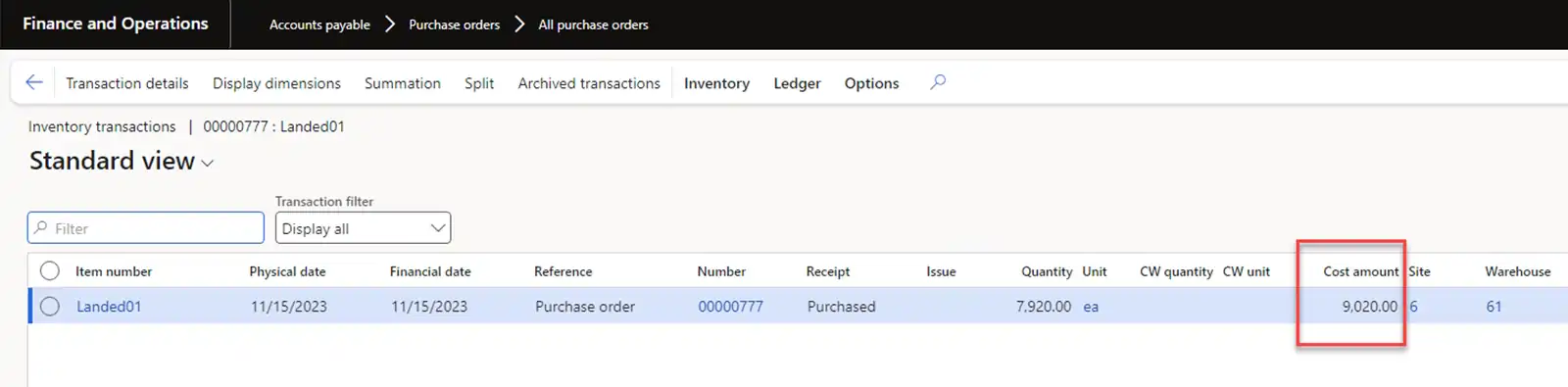
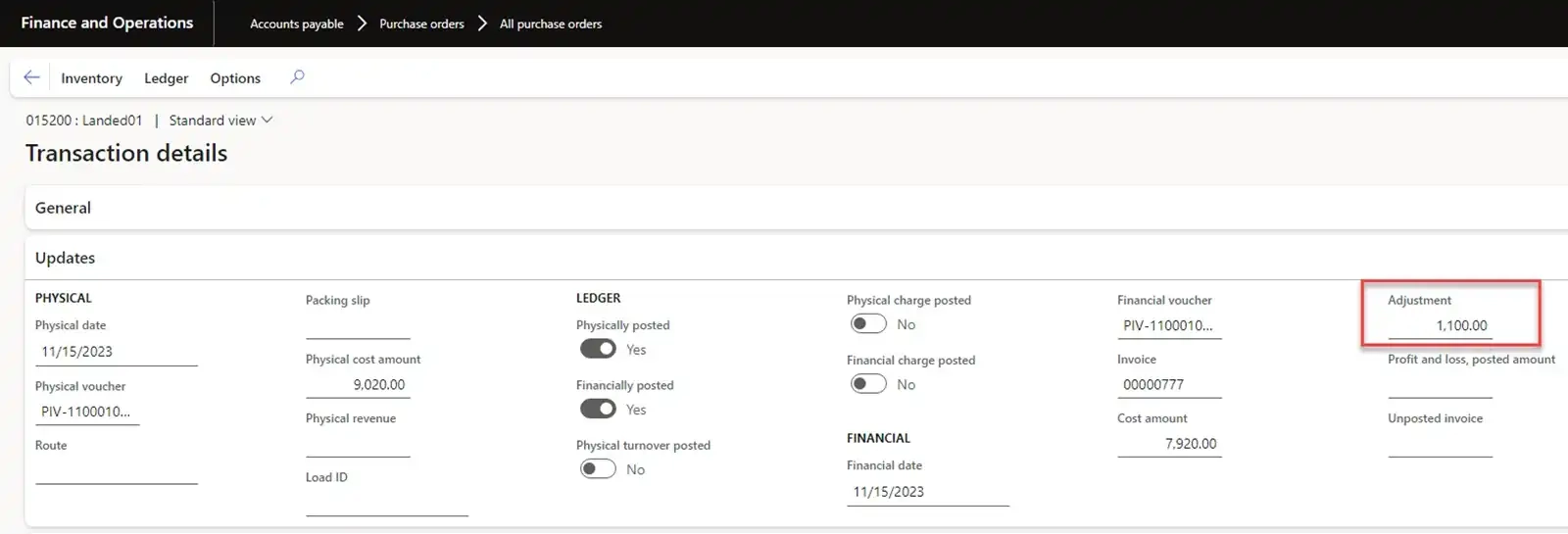
The Landed cost amount can be seen in the Adjustment field.
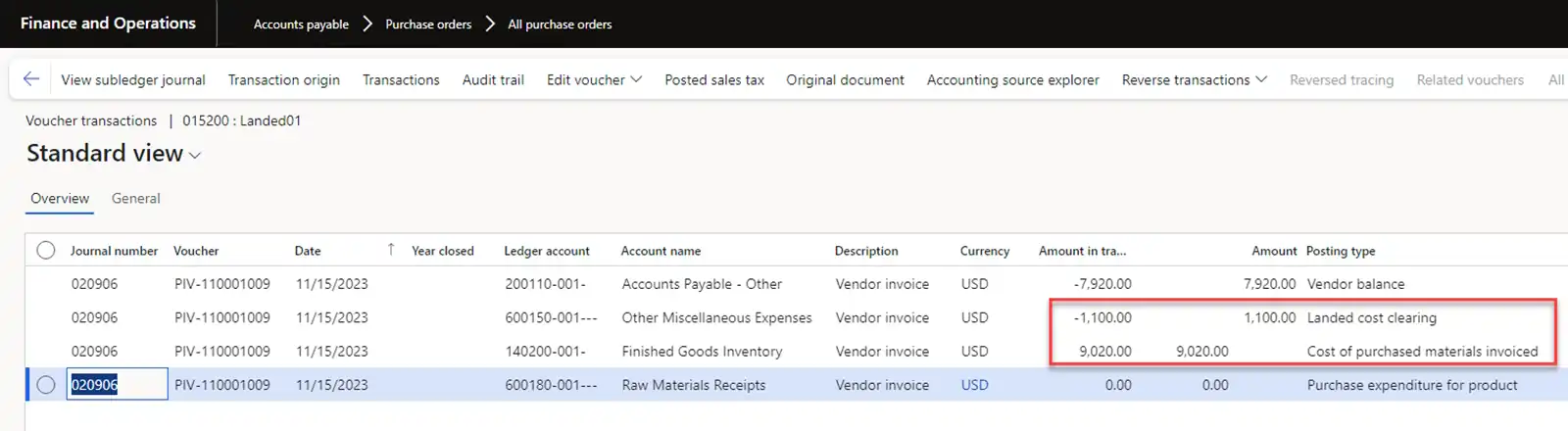
The system generates Geneal ledger transactions for landed costs according to the profile specified in “Freight” Cost type code.
As previously mentioned, we purchase and receive goods in boxes, and at the hub we palletize the goods into pallets for each warehouse. Let’s assume that our quantity of 660 boxes was packed into 11 pallets. Then the inventory cost per pallet will be 9020/11 = 820 USD.
We post the freight invoice according to the actual transportation costs. For example, 1210 USD.

Let’s look at the inventory cost of the inventory transaction of the purchase order. It is updated to 9130 USD and the cost per pallet will be 9130/11 = 830 USD.
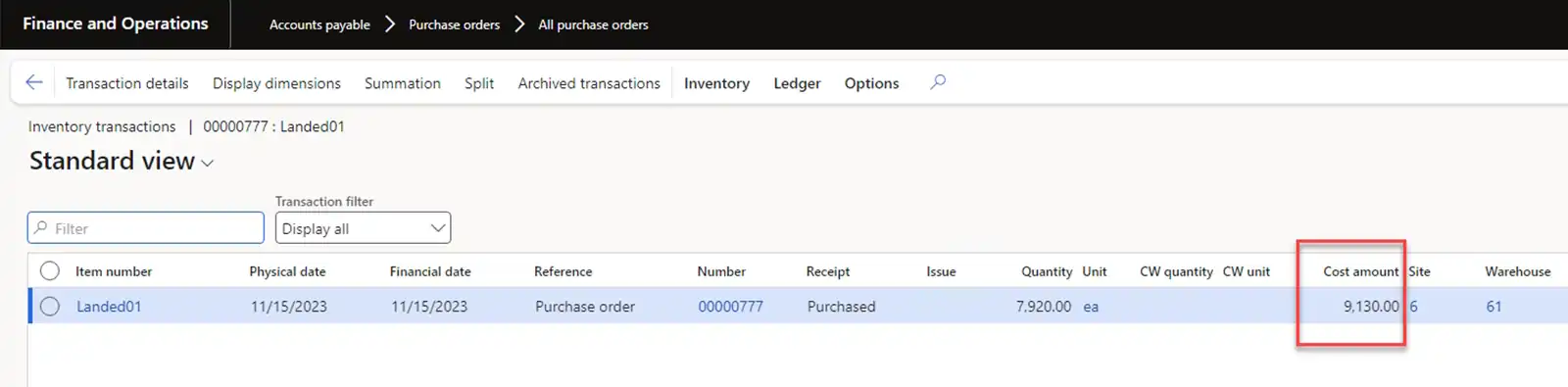
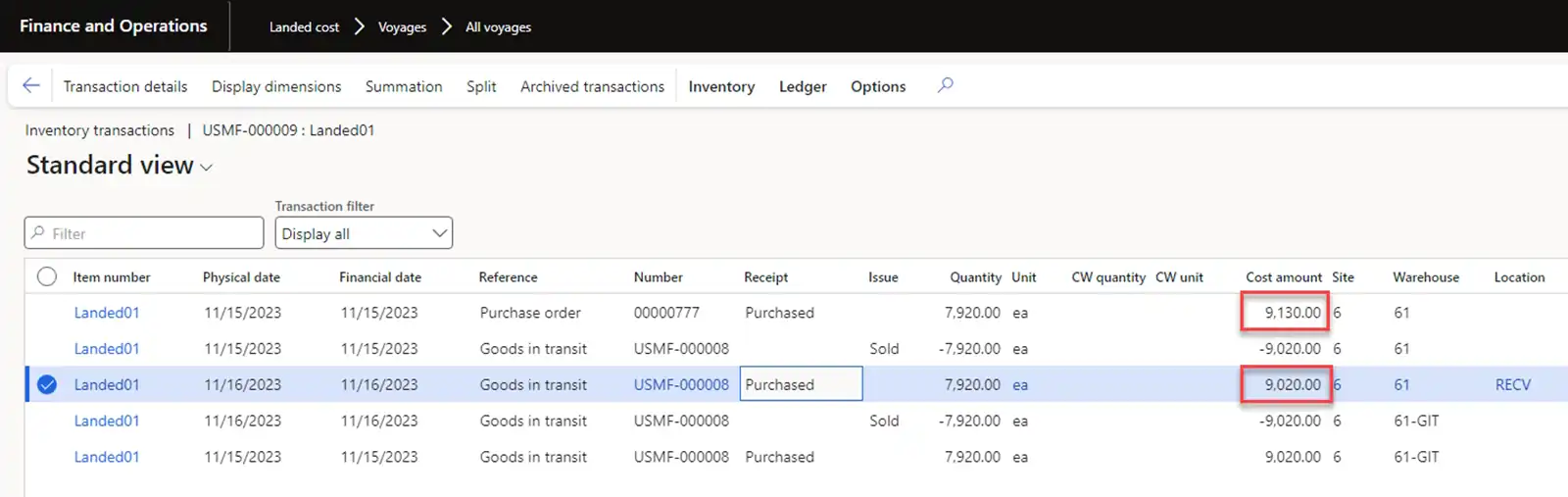
Note: If you check inventory transactions for the USMF-000008 Goods-in-transit order, the inventory costs are not automatically updated by the system and it stays the same at 9020 USD, i.e. 820 USD for one pallet. Further in our scenario will use
the cost of 820 USD per pallet. Inventory closing and recalculation procedures will update the inventory cost to 9130 USD later.
► Delivery from Hub to local DC
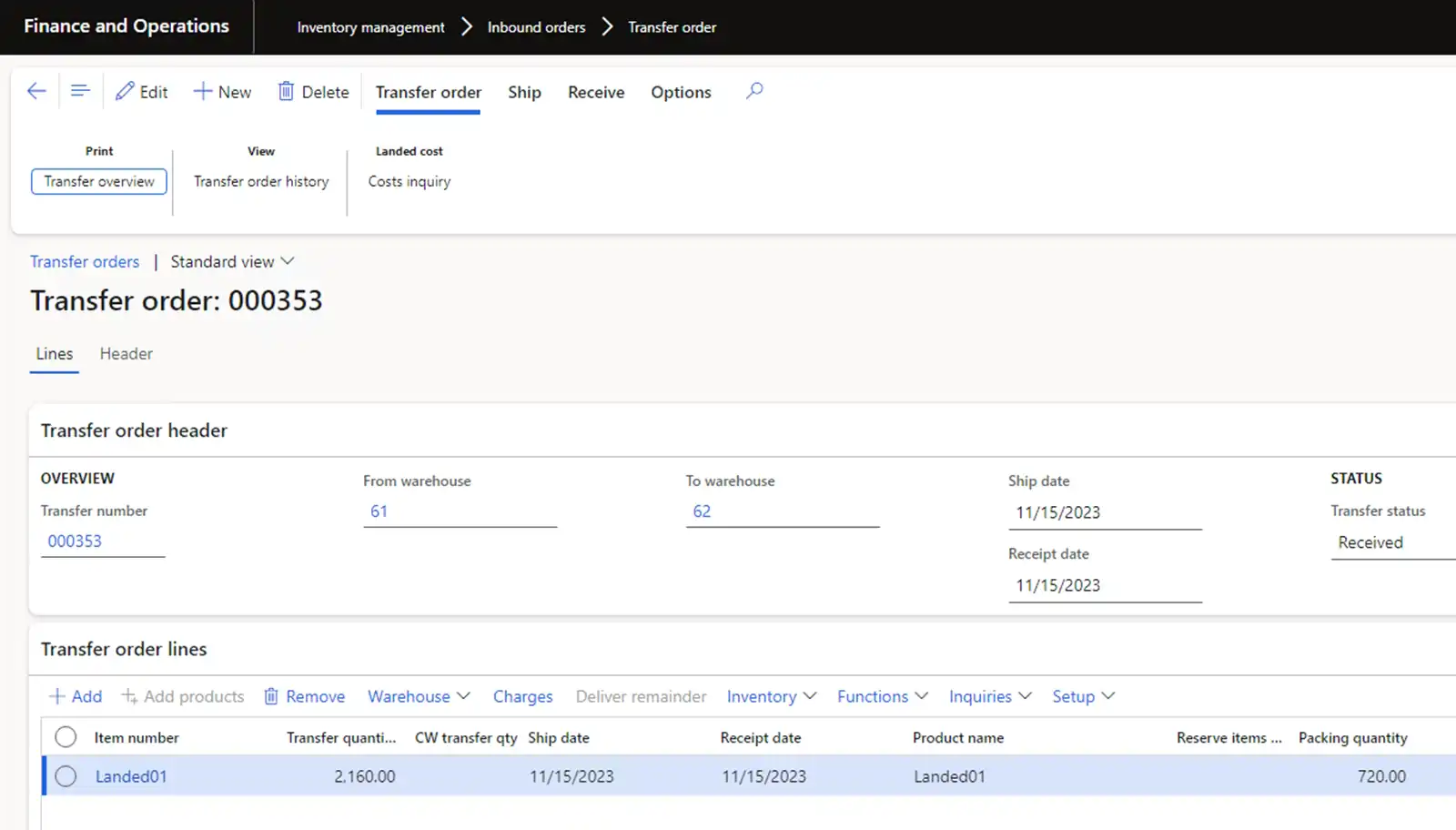
To carry out transportation from the hub to the distribution center, we will use Transfer orders with a quantity of 3 PL (pallets).
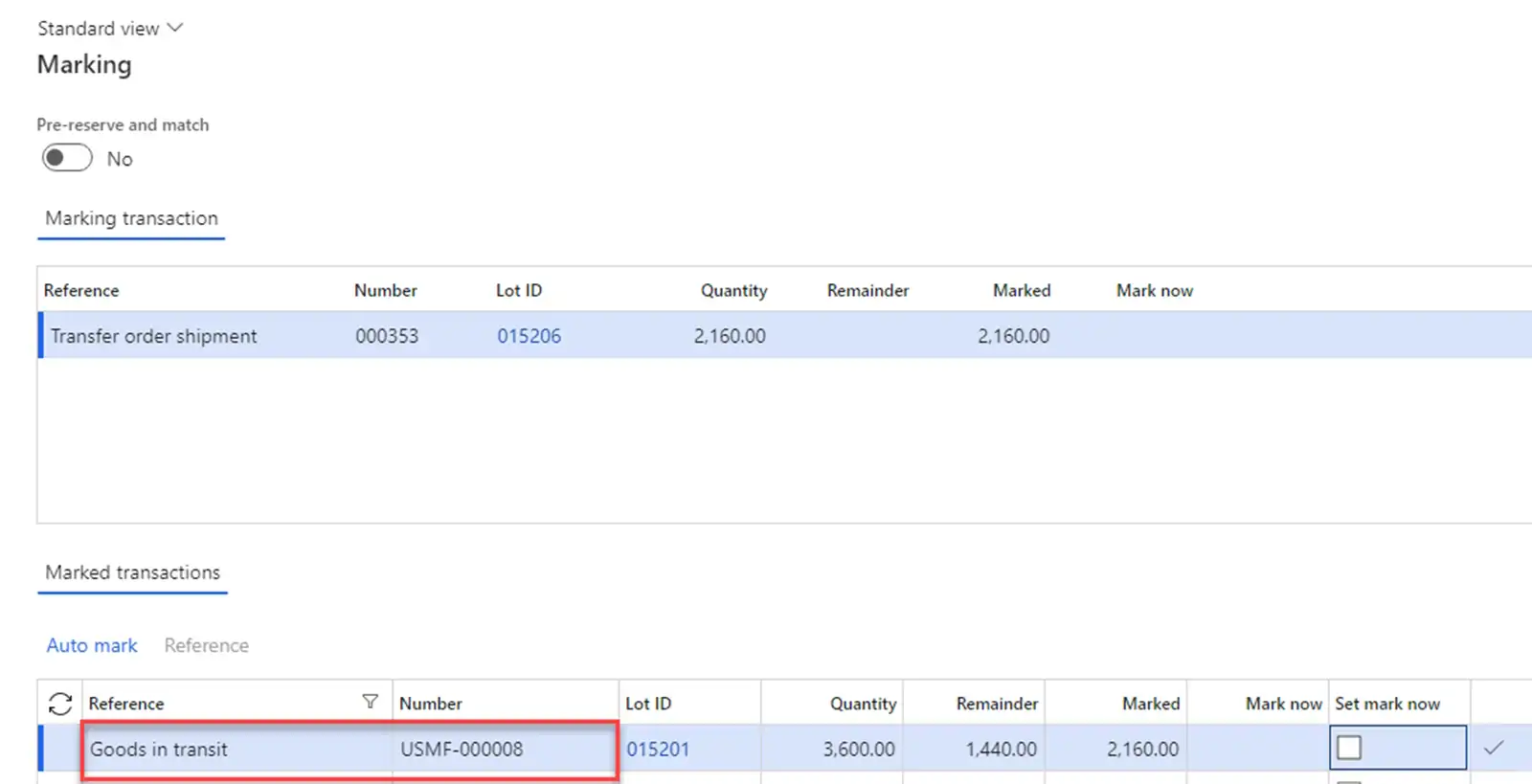
Let’s mark inventory transactions with our previously received goods from the USMF-000008 Goods-in-transit order. In this case, the inventory cost will be 820 USD.
Let’s create Voyage and Shipping container to account for transportation costs. The system calculates transportation costs using auto cost configuration. For example, 120 USD.
Note: The auto cost settings of the Landed cost module do not allow to configure a rate by the number of pallets to be delivered.

To fulfil the shipment, we will release the transfer order to the warehouse. The system will create a Load. The load itself is used only to perform warehouse operations; we do not calculate transportation costs using the TMS module.

When Transfer order is received, the Landed cost module adds transportation costs to inventory costs. The inventory cost of one pallet shipped from the hub is 820 USD. The inventory cost of one pallet in the distribution center warehouse
will be 820 + 40 = 860 USD.
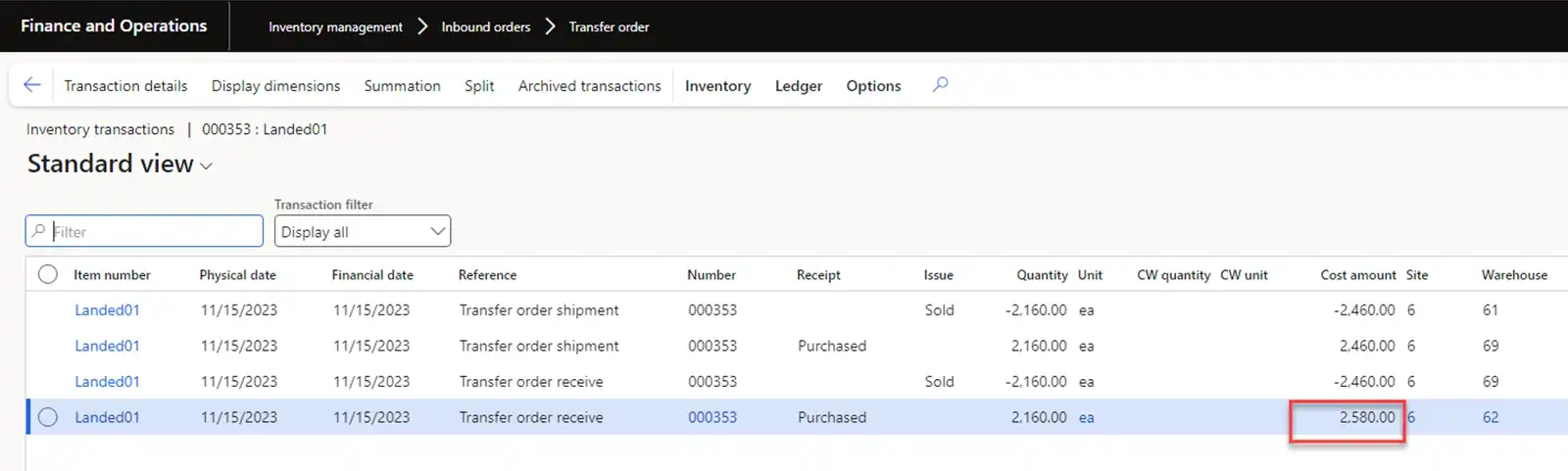
The amount of transportation costs can be seen in the Adjustment field.

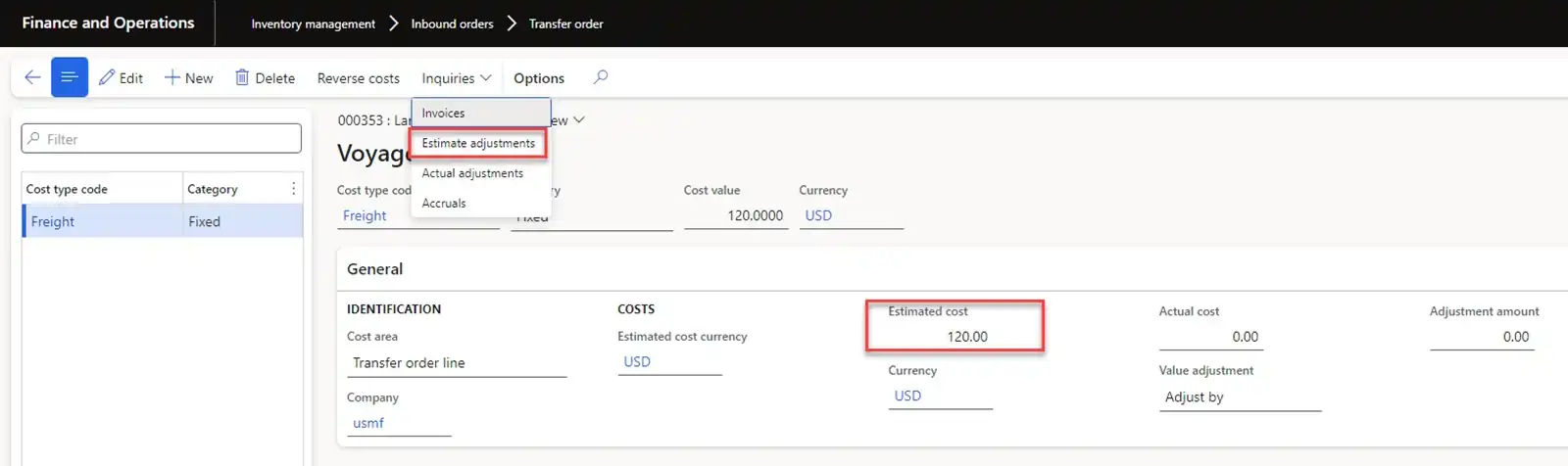
General ledger transactions can be viewed in Voyage cost of the Transfer order line. In our case, we check the "Estimate adjustments" transactions.
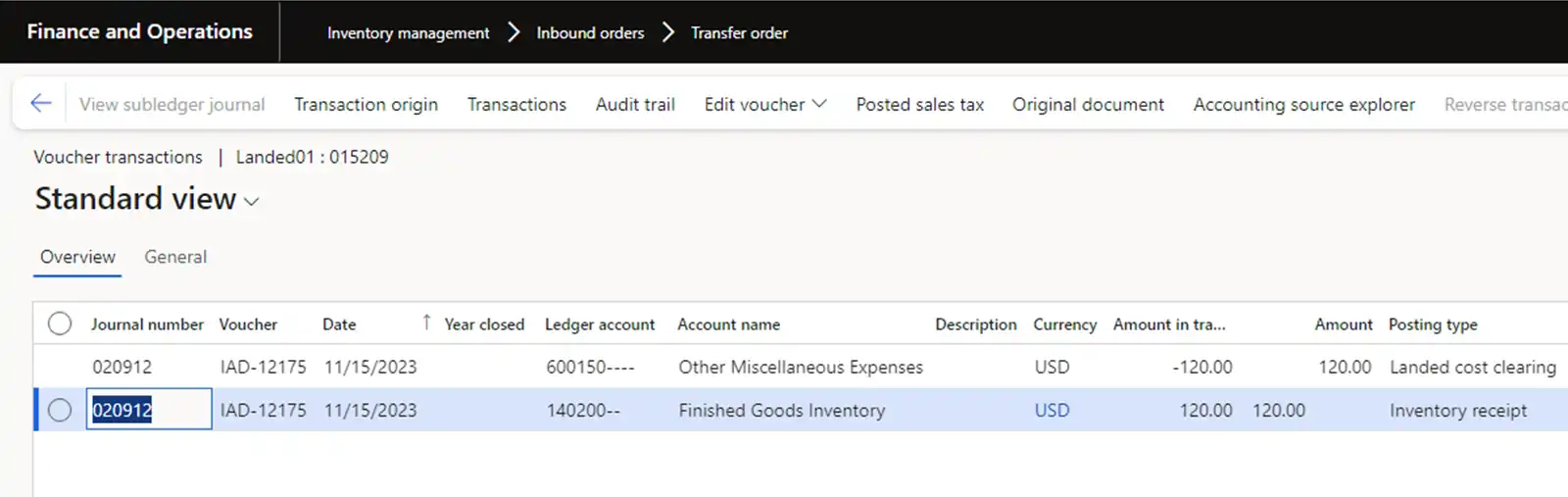
The general ledger transactions themselves:
Note: In outbound transportation flow of Transfer order, a Load was created to perform warehouse operations, and a Voyage to account for transportation costs. For this flow it is not possible to use loads to calculate transportation costs
by Transfer orders because the standard functionality of the TMS module does not
allow allocating transportation costs to inventory costs of transfer orders.
► Delivery from Hub to IC DC
Selling goods from the hub of one Legal entity and transferring it to distribution centers of another Legal entity will be executed via IC orders. For example, consider moving 3 PL at the cost of Inventory cost in the hub. There are two possible options for accounting of transportation costs in the receiving Legal entity:
(a) Load
(b) Voyage
The sending Legal entity will have an IC Sales order.
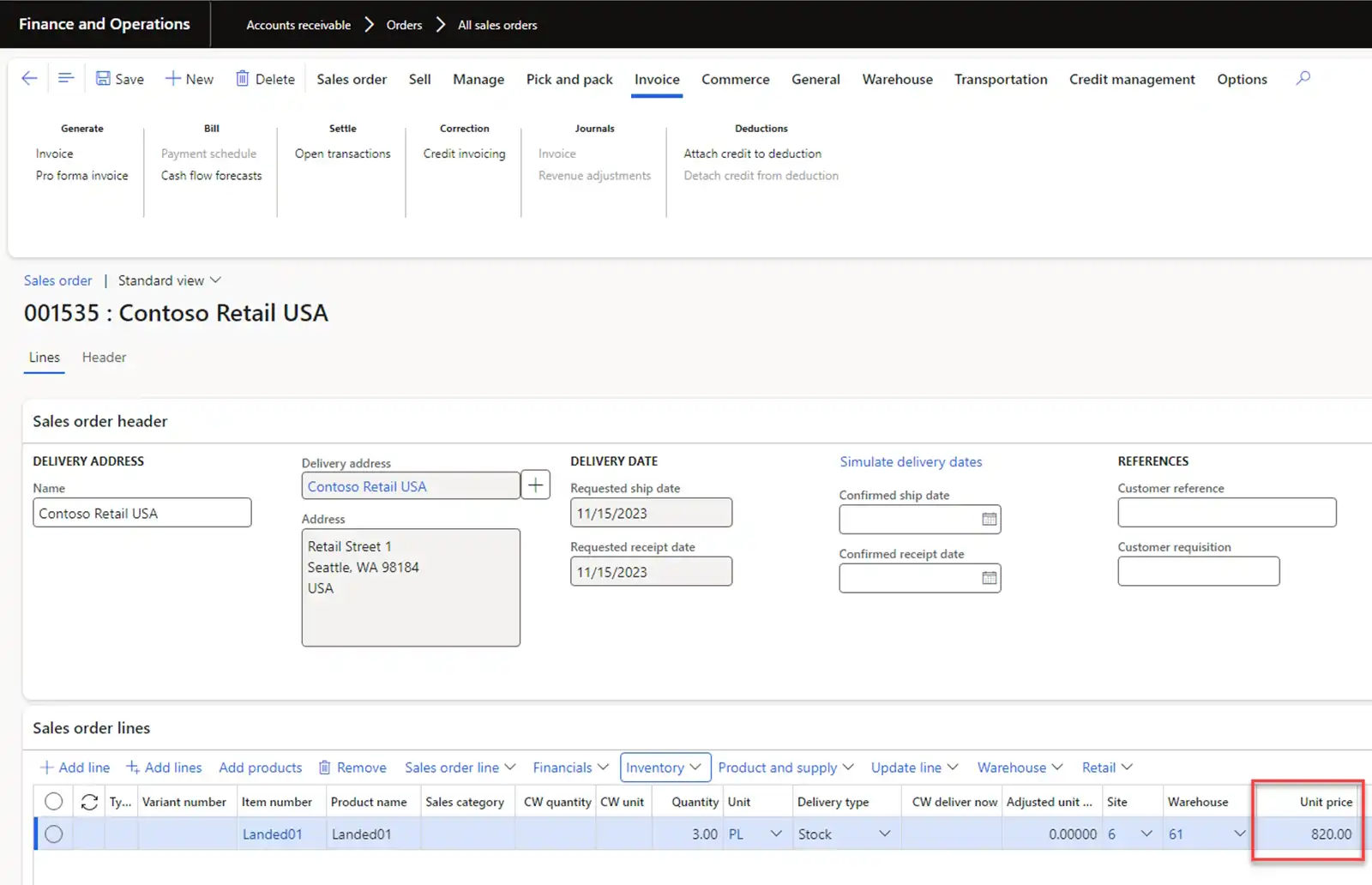
For the order line, we have also marked transactions with previously received goods from the USMF-000008 Goods-in-transit order.

The receiving Legal entity will have an IC Purchase order with a value from the sending Legal entity.
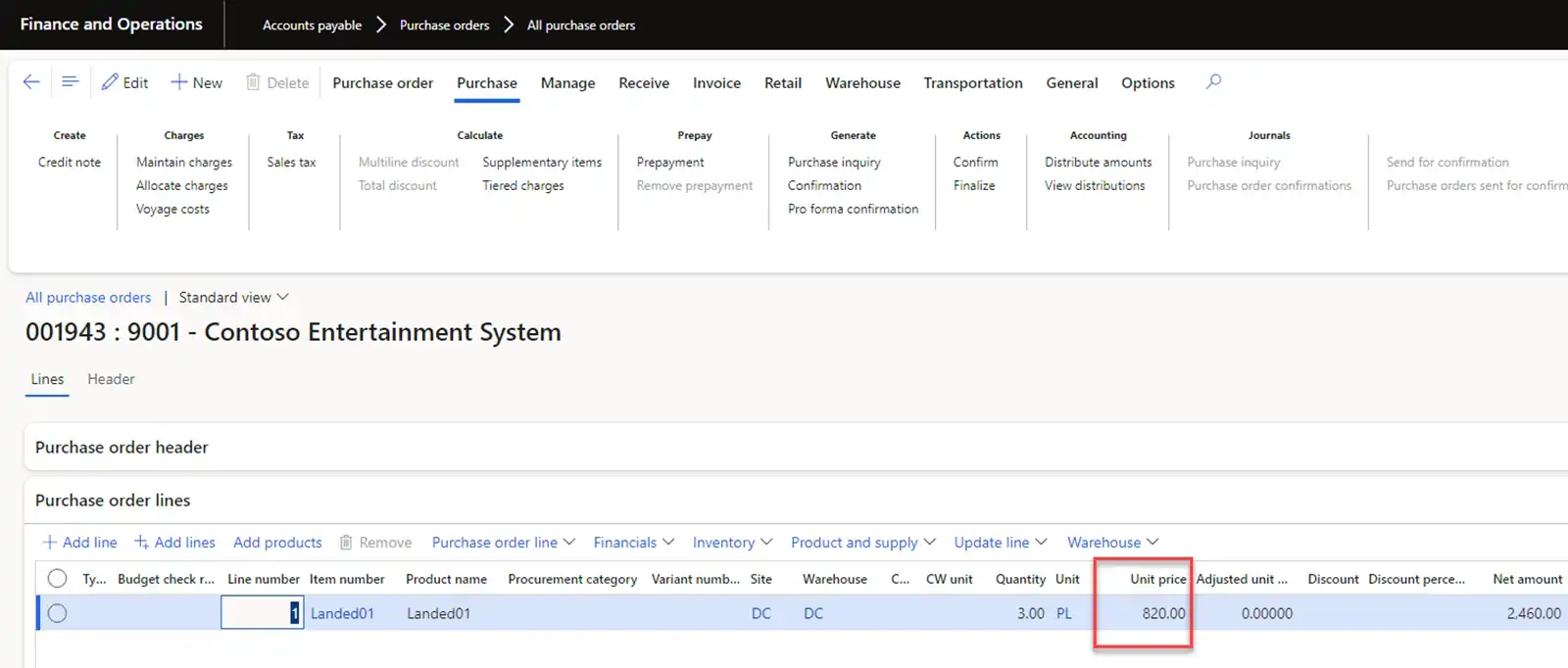
(a) Transportation Cost Accounting via Load Option
For IC Purchase order, let’s create Inbound Load and calculate transportation costs. One of the ways to calculate transportation costs can be by calculating the number of boxes/license plates. In the standard functionality there is only a “Piece” rate
engine for calculating costs by quantity of goods without the ability to specify which unit of measure must be used. If it is required to calculate costs by the number of boxes/pallets, then we need to implement a new Rate engine and Apportion
engine to calculate costs for the required unit of measure. For example, let's assume that the cost of transporting one pallet is 50 USD. To transfer costs to an order, we need to activate “Add transportation charges to orders” parameter for delivery terms.

For Inbound Load we create ASN data to speed up receiving processes. Receiving is carried out using “License plate receiving” menu item in the warehouse mobile application. When confirming the load, the system creates miscellaneous charges for Purchase order.

In the TMS module miscellaneous charges are configured with a parameter where costs should be added to the inventory cost.

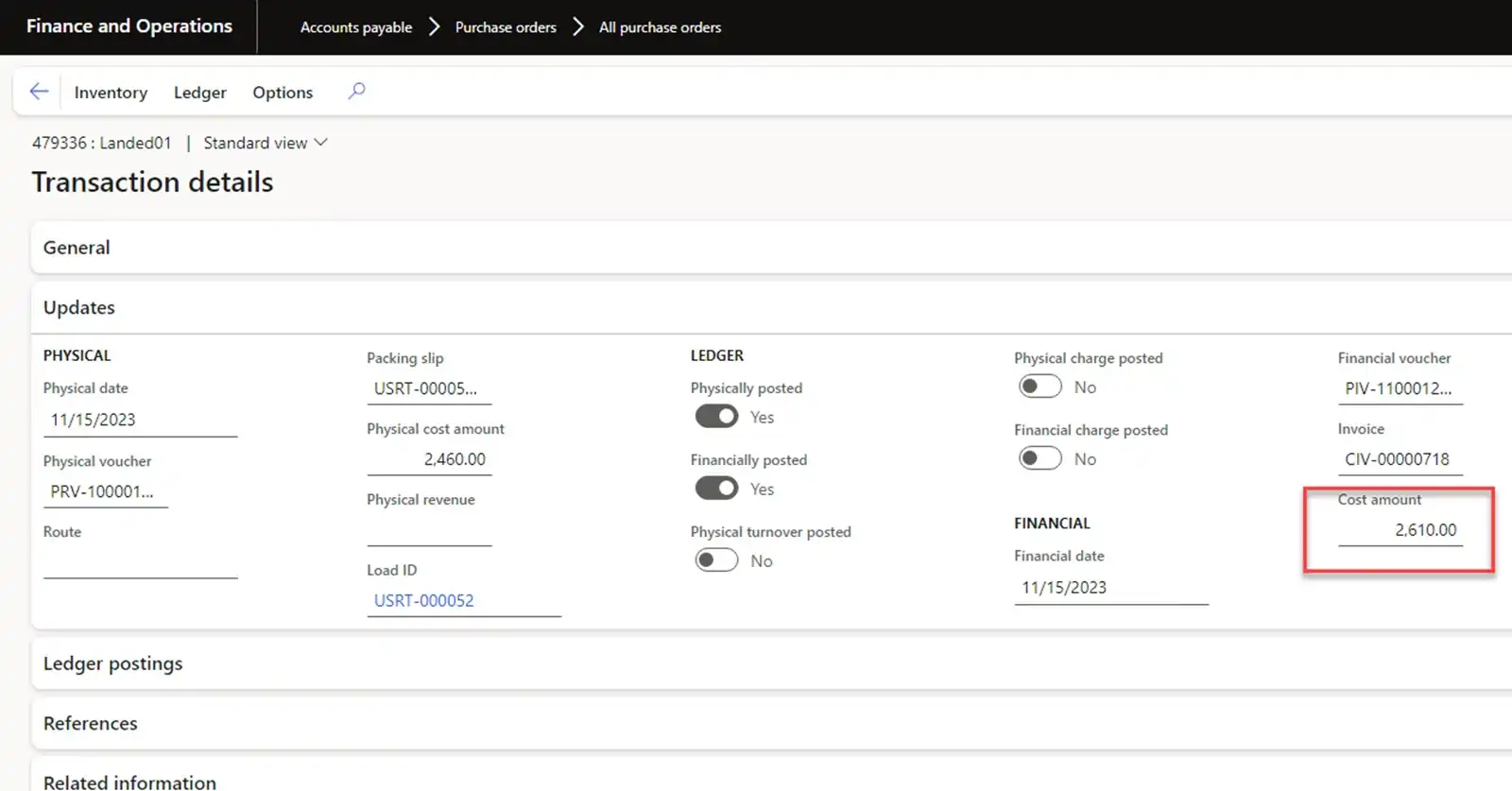
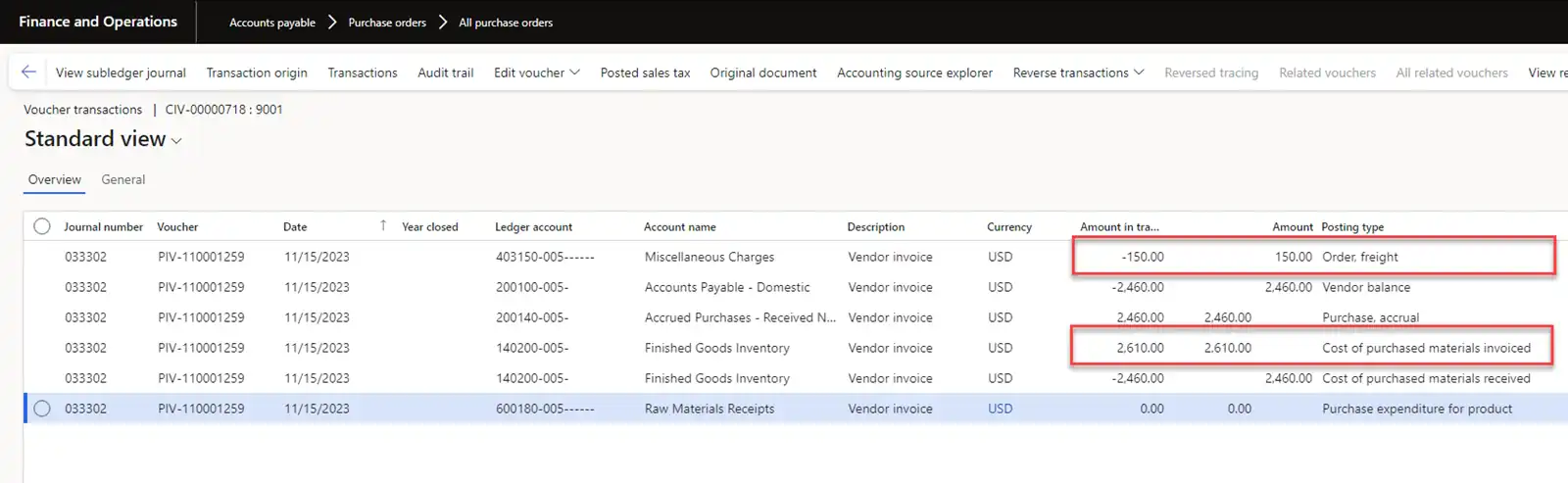
When posting an Invoice, the system increases inventory cost by 150 USD.
General ledger transactions:
(b) Transportation Cost Accounting via Voyage Option
In this option, we can either create Load to organize receiving by license plate without transportation cost calculation by the TMS module or proceed without creating Load.
To account for transportation operations and for cost accounting, we will create Voyage and Shipping container. The system calculates costs based on auto costs. For example, 150 USD.

When posting a purchase invoice, these costs are added to inventory costs. The total will be 2460 + 150 = 2610 USD.
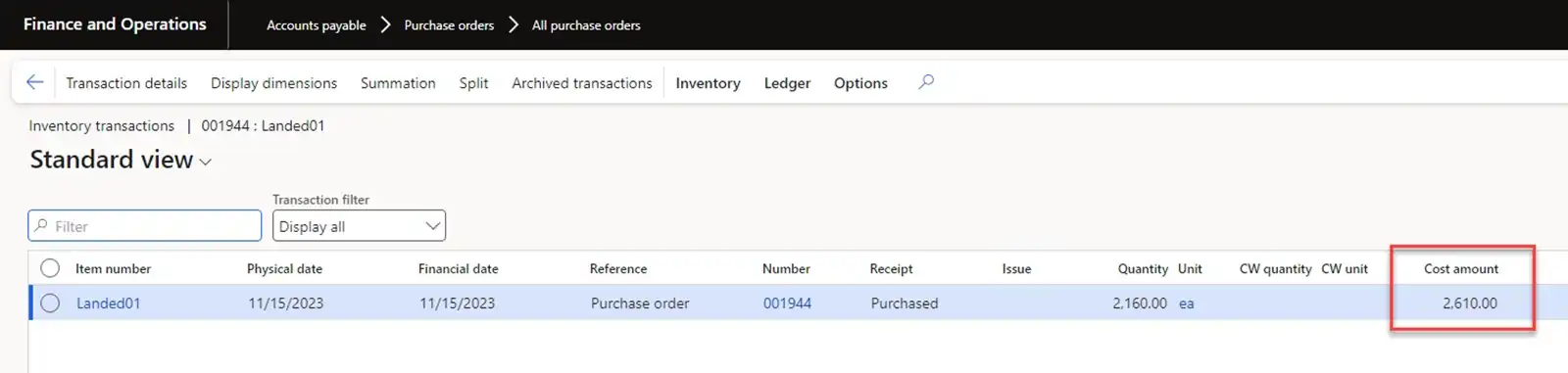
The amount of transportation costs will be recorded in the Adjustment field.
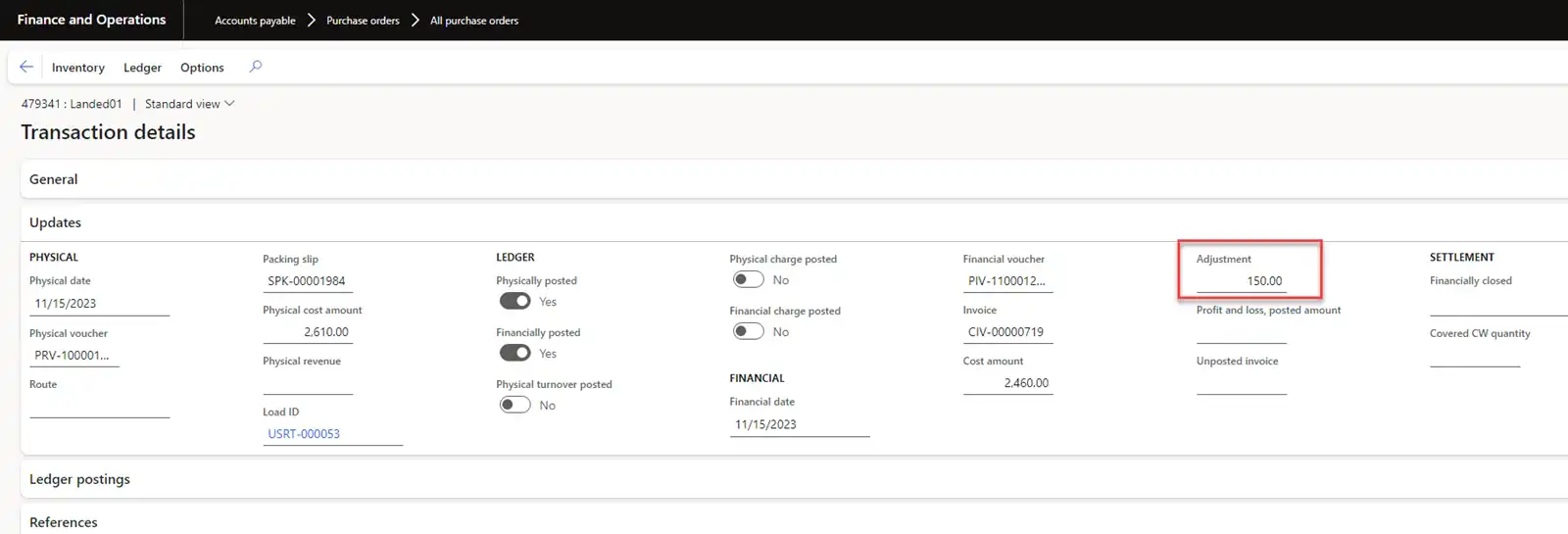
Note: These two examples demonstrate the differences in the mechanism for accounting of transportation costs in the inventory cost for inventory transactions.
► Delivery from local DC to local warehouses
This transportation is carried out similarly to the previously described "Delivery from Hub to local DC" transportation.
In Option B, the cases of accounting of transportation costs are very similar to Option A. Here I'll provide only a table to show which orders are considered in the supply chain.
Option B:
| Legal Entity | Transportation Purpose | Supply Order Type | Logistics Order Type | Method of Adjusting Inventory Cost |
|---|---|---|---|---|
Legal with DC |
Delivery from Supplier to local DC |
Purchase order |
Voyage |
Landed costs are added to Inventory cost |
Legal with DC |
Delivery from local DC to local warehouses |
Transfer order |
Load, Voyage |
Landed costs are added to Inventory cost |
Conclusion
The discussed scenarios cover the main points of creating and performing cost calculation operations in Voyage and Loads and transferring these costs to Inventory cost. Landed cost module has significantly increased the capabilities of the D365SCM system for automating incoming logistics. The problem of transportation cost accounting for Transfer orders has been resolved. The correct configuration of transportation for inbound orders allows using Voyage for cost accounting and Load for warehouse operations. But it should be said that presently both Landed cost and TMS modules do not allow to configure cost calculation using the required units of measure and to recalculate the quantity into it.