


[ICS] Supply Chain Execution Package
Inventory accuracy and customer satisfaction go hand in hand as shortages of goods or excess inventory buildup can both lead to problems throughout the supply chain and ultimately result in poor customer service. [ICS] Supply Chain Execution Package helps you tighten inventory control with its advanced automation and prediction tools.

One of the major success factors for most organizations is maintaining appropriate levels of stock. Having just the right amount of inventory optimizes warehouse storage, improves efficiencies of processes and workflows, and maximizes delivery performance.
[ICS] Supply Chain Execution Package was developed in collaboration with our ERP end-user customers to expand the standard functionality of MS Dynamics AX and D365 F&O systems to include new features for planning transfers to and from external warehouses based on demands and warehouse load.

It is intended for companies (manufacturers, wholesalers, distributors, etc.) that operate complex warehouse networks and are faced with the challenge of their optimization to increase productivity and accuracy in order fulfillment, reduce total storage costs and greatly improve their response to demand fluctuations.
The add-on solutions included in the Package allow you to check and manage inventory levels in the company’s main warehouse and in the external warehouse, automatically plan transfers to and from the external warehouse, and make real-time transfer decisions to reallocate goods as needed. The Package is available on Microsoft AppSource.

We are proud to announce that [ICS] Shortage Management Solution has been successfully published on AppSource! This means that our solution has met all the requirements of Microsoft’s strict validation process and is now available publicly. Please follow this link to view our product there.
[Logistics Center Solution]
The Challenge
Order fulfillment is an integral part of supply chain management. As businesses grow, they face increasing consumer demand and a shortage of storage capacity. The Logistics Center Solution provides tools for optimizing planning and management of those supply chains that include an external logistics center. Our solution helps companies move excess goods to an external logistics center more efficiently and quickly replenish product needs in the main warehouse from the logistics center, so that orders can be fulfilled in a timely manner.
The Solution
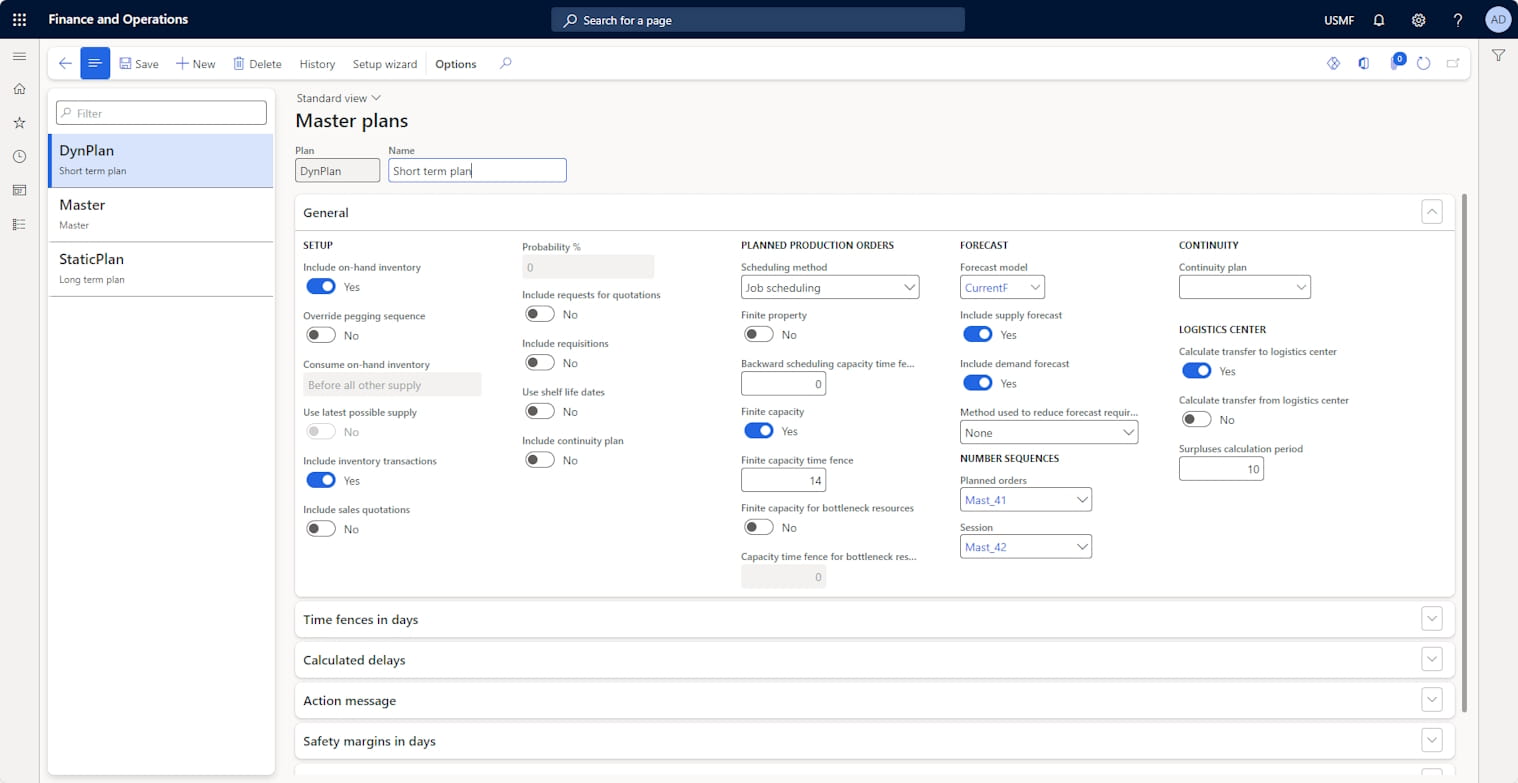
The Logistics Center Solution allows you to manage inventory levels in the company’s main warehouses and in the logistics center warehouse to increase productivity and accuracy in order fulfillment by using the system’s core modules – Product Information Management, Inventory Management and Master Planning. This allows users to make real-time order decisions to reallocate goods as needed.
The following features have been added to solve the difficulties in interaction with external logistics centers:
| Features |
|---|
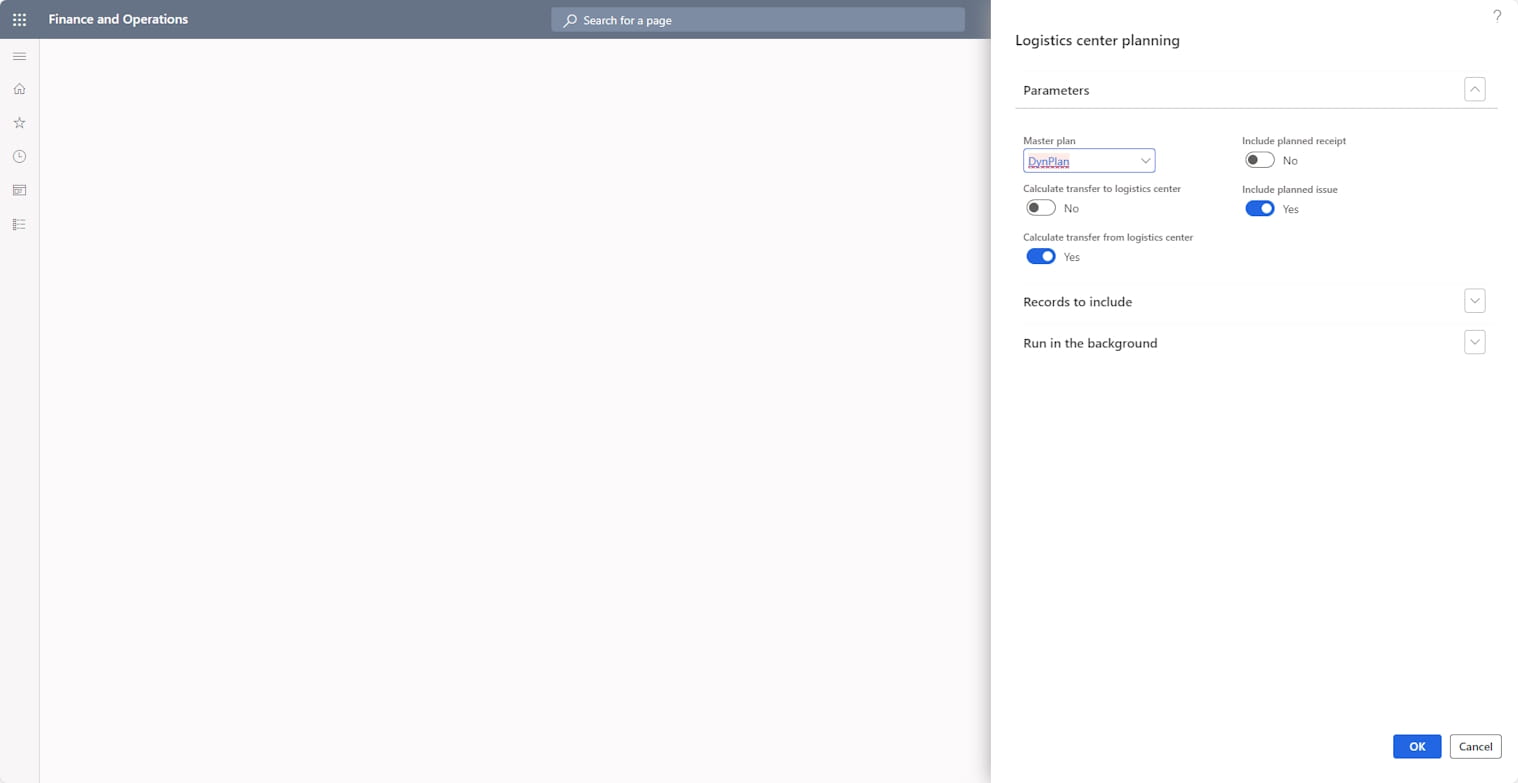
| 1. Automatic calculation of surplus goods and creation of planned transfer orders to move surplus goods from the main warehouse to the logistics center warehouse – Function for the automatic calculation of surplus goods in the main warehouse – Function for the automatic creation of Demand forecast lines for the external logistics center warehouse for the calculated surplus goods |
| 2. Automatic creation of planned transfer orders to move required goods from the logistics center warehouse to the main warehouse – Function for the automatic determination of goods missing from the main warehouse – Function for automatically creating planned transfer orders from the logistics center warehouse to the main warehouse |
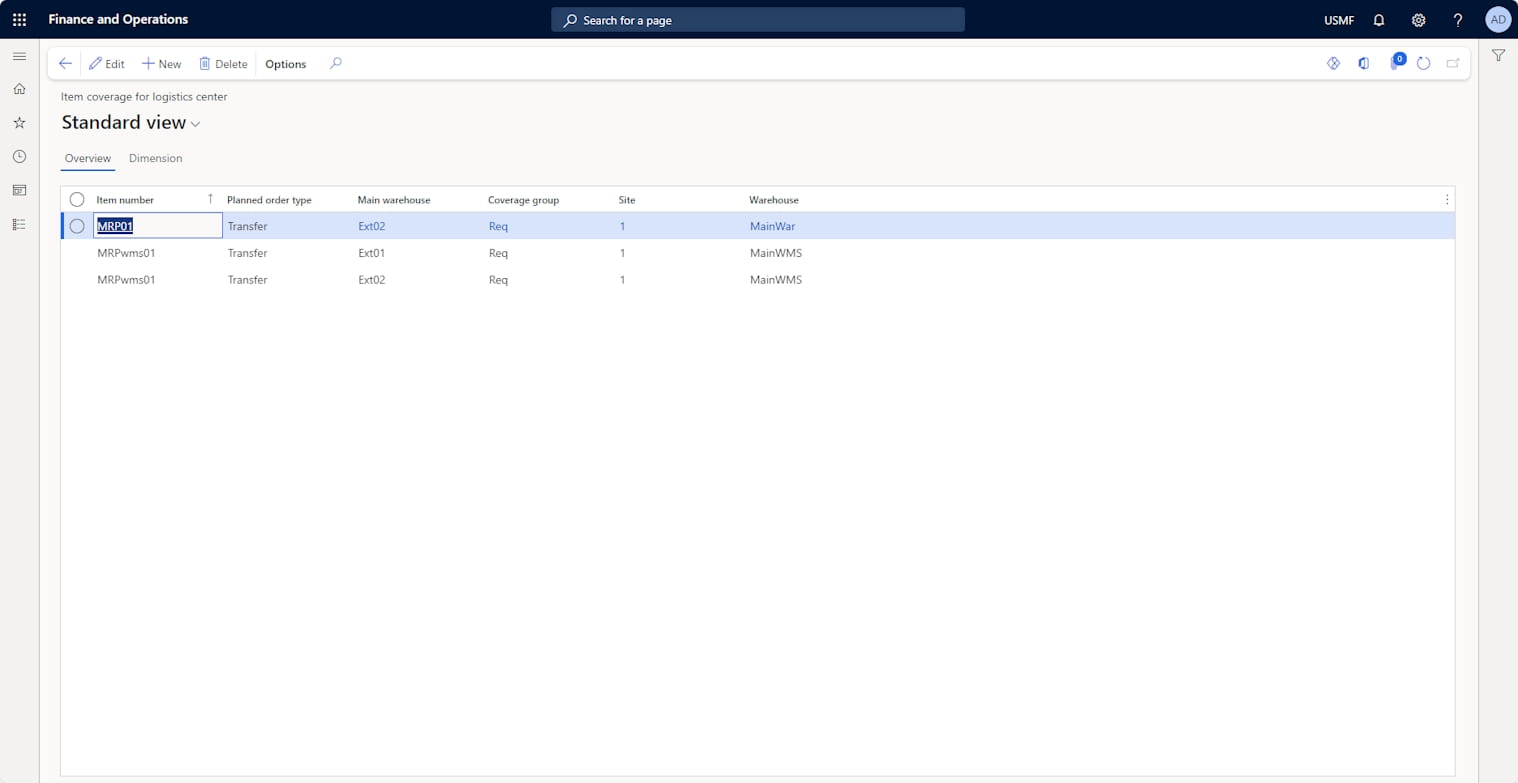
| 3. Display of the goods stored in the logistics center warehouse and in the main warehouse – Function for automatically creating and updating a logistics center journal that shows the availability of items in the external logistics center |
Key Features:
➤ Deep integration with MRP.
➤ Efficient work with external logistics centers through automation of key processes.
➤ Automatic calculation of surplus goods in the company’s warehouses.
➤ Automatic calculation of goods missing from the company’s warehouses.
➤ Display of the goods stored in the logistics center warehouse and in the main warehouse.
➤ Control of warehouse load level.
➤ Ability to control warehouse filling in various units of measurement (pallets, volume and weight).
➤ Automatic planning of product movements to/from the logistics center warehouse to effectively manage load levels of the main warehouse and prevent overloading.
Benefits that companies can get with the Logistics Center Solution include:
✅ Simplified workflows to interact with the external logistics center warehouse.
✅ Reduced scheduling time for transfers from the main warehouse to the logistics center warehouse.
✅ Reduced time for calculating the needed quantity of goods in the company’s warehouses.
✅ Accurate planning of needed quantities of goods, which excludes both shortages and surpluses of goods in the company’s warehouses.
✅ Improved level of customer service.
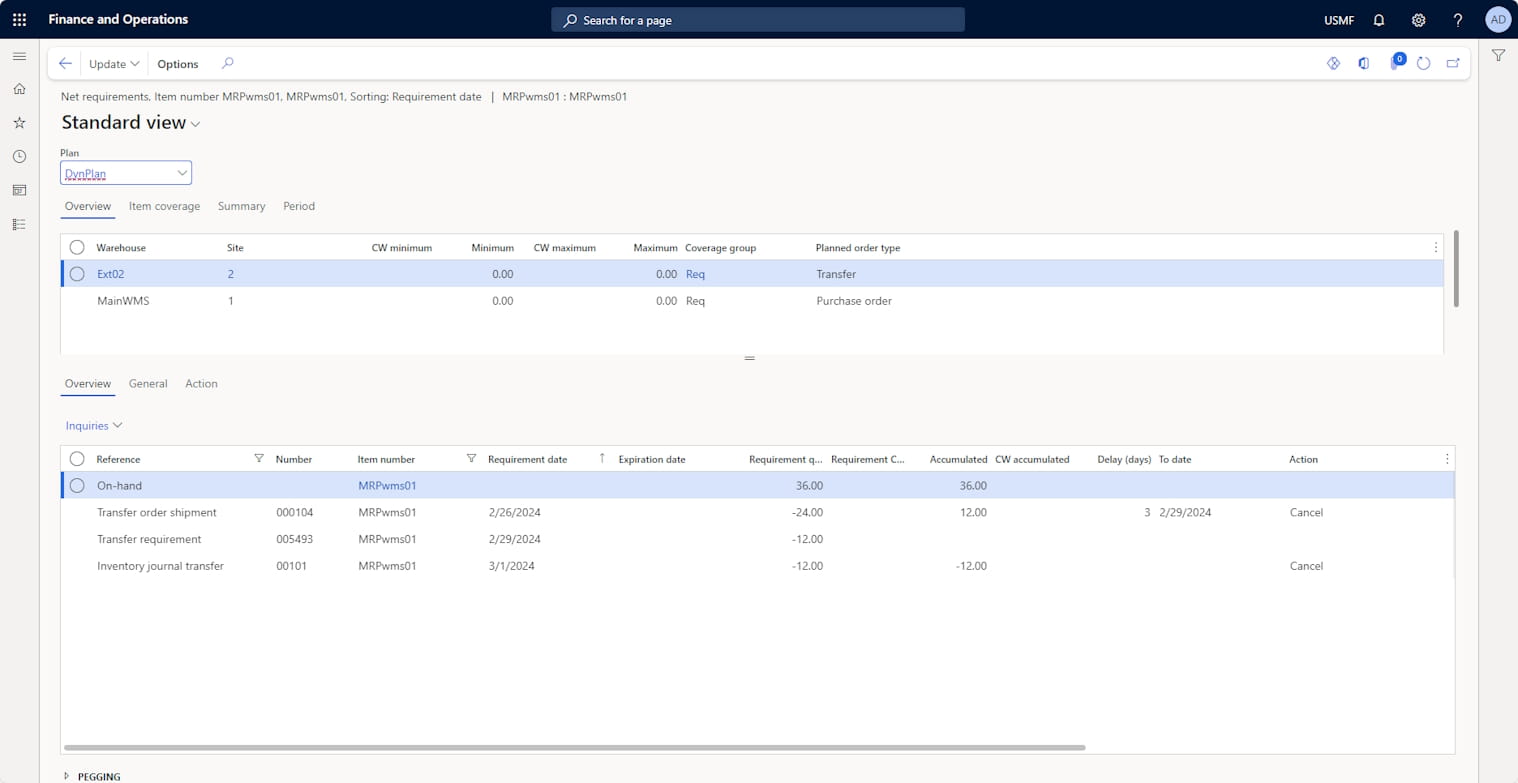
 Pic 1: Results of the planning
[Shortage Management Solution]
The Challenge
Companies that manage the current availability of items at a detailed level and use Master Planning as part of their operational activities find it difficult to identify cases of item shortages and manage them effectively. The MS Dynamics 365 F&SCM standard lacks the functionality to provide users with summary and detailed information about current shortages.
The Solution
[ICS] Shortage Management Solution was developed to address this issue. It automatically collects data on current shortages and displays this information in a user-friendly format.
The following functions were included:
➤ Action types: Setup of the action types that the system will use to identify shortages. This means that the company can determine which Master Planning messages it considers to be indicators of shortages.
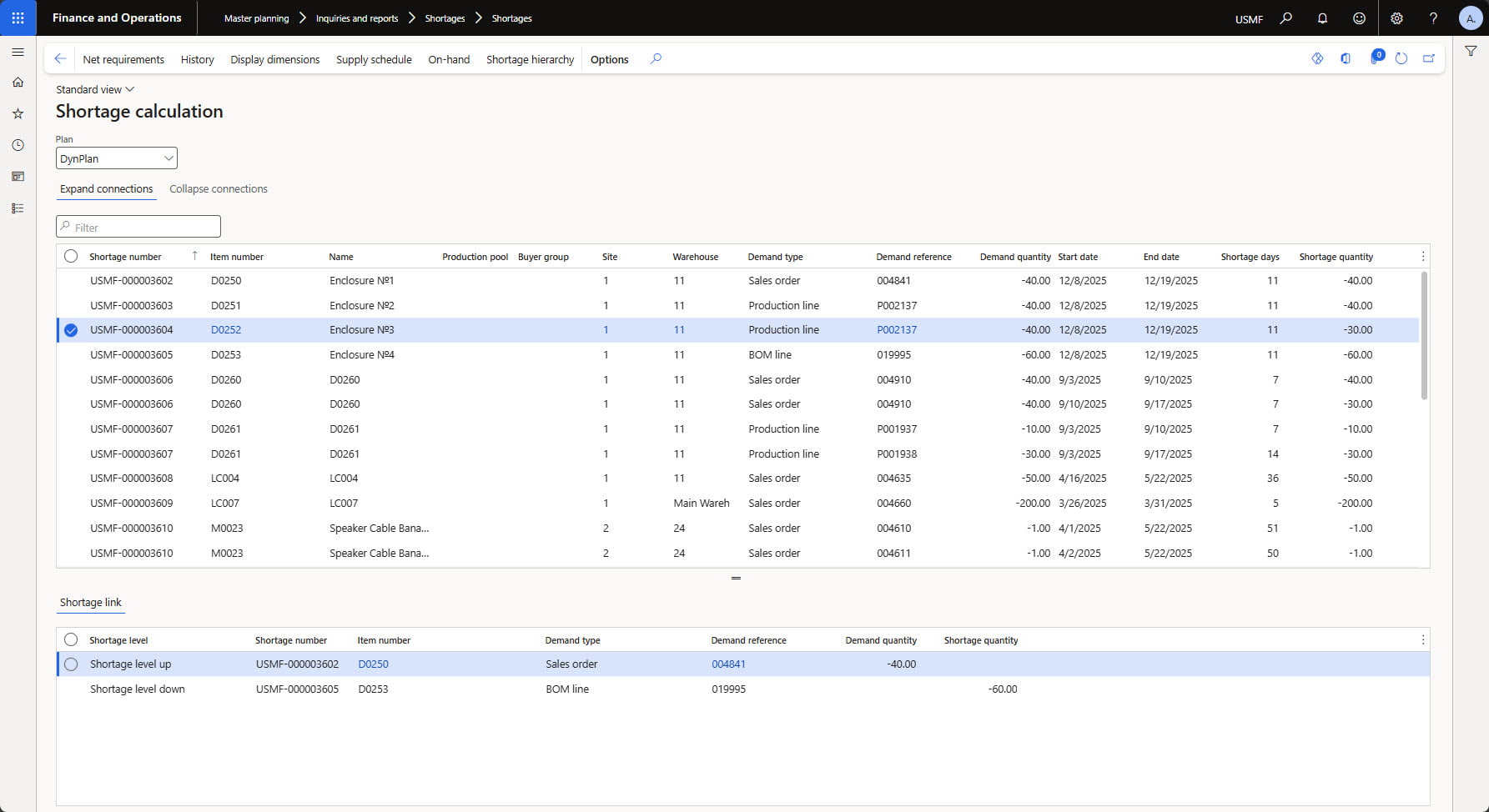
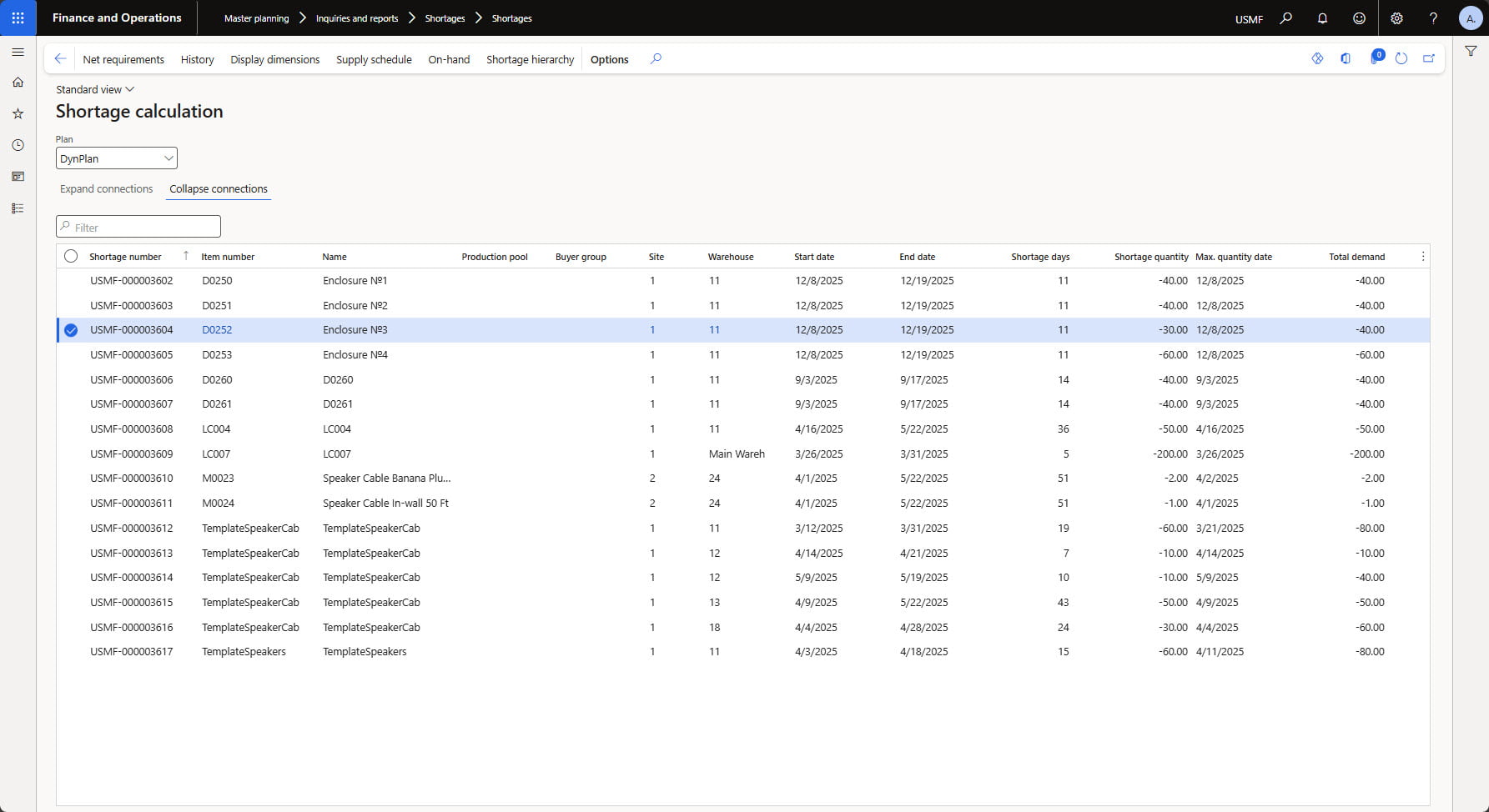
➤ Shortage calculation: Logic for collecting data on current shortage cases and generation of a summary report with consolidated information about shortages. This can be launched manually on demand or performed periodically.
➤ Shortage report: Generates a report with data on current shortage cases, displayed in both detailed and aggregated views. The detailed view displays shortage cases per demand. The aggregated view displays shortage information per shortage period.
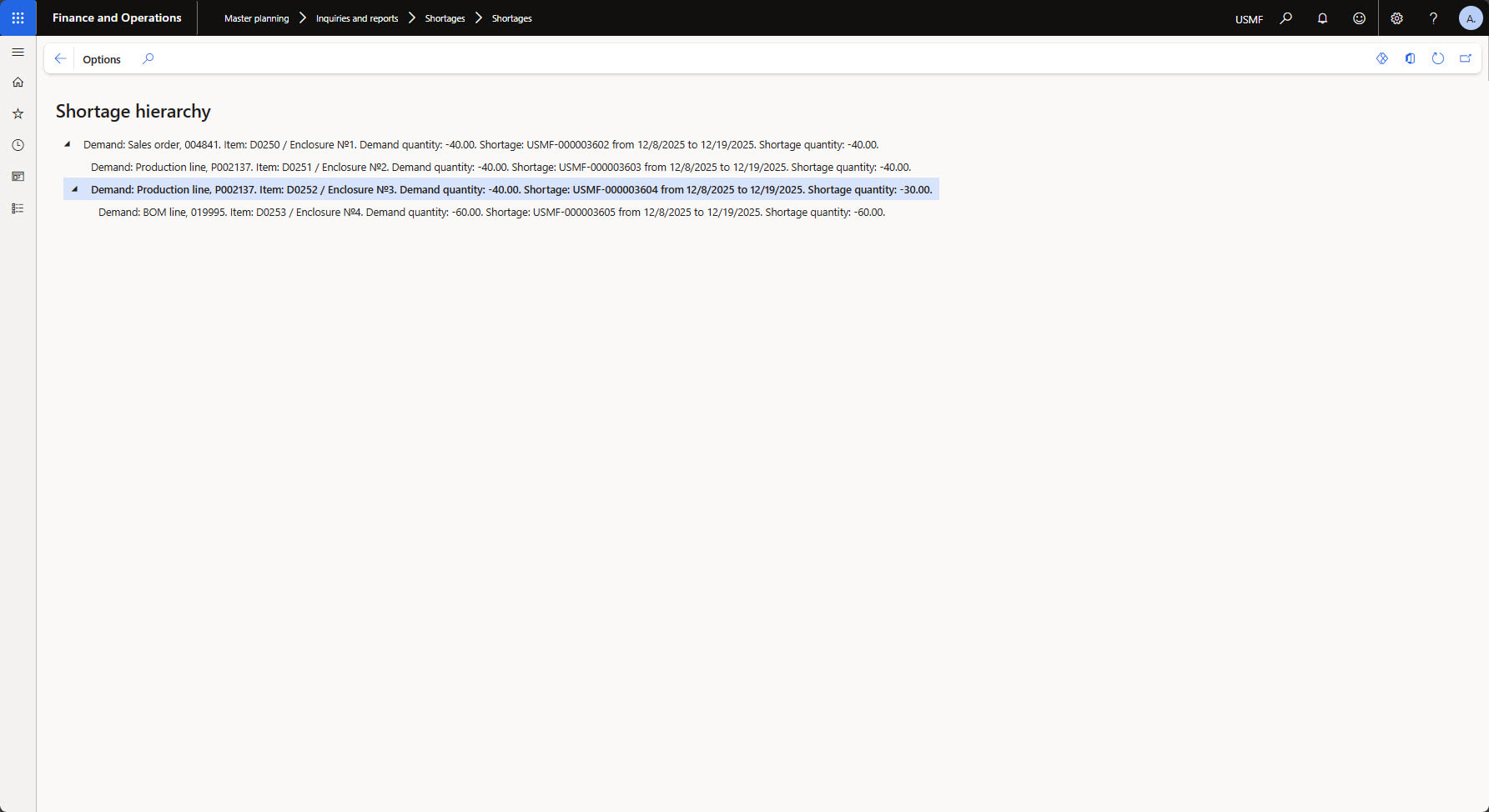
➤ Shortage hierarchy: Designs the shortage hierarchies and displays them to the user. This is applied to bill of materials (BOM) items when a shortage of one component at the lowest level can cause shortages at all other BOM levels.
The Benefits
The key benefits from implementing [ICS] Shortage Management Solution include:
✅ View full shortage hierarchy – the ability to view the full shortage hierarchy for any BOM item and identify the lowest-level component shortage that is causing higher-level component shortages.
✅ Get shortage report with all the details – a report with detailed information on all current shortages per the required Master plan.
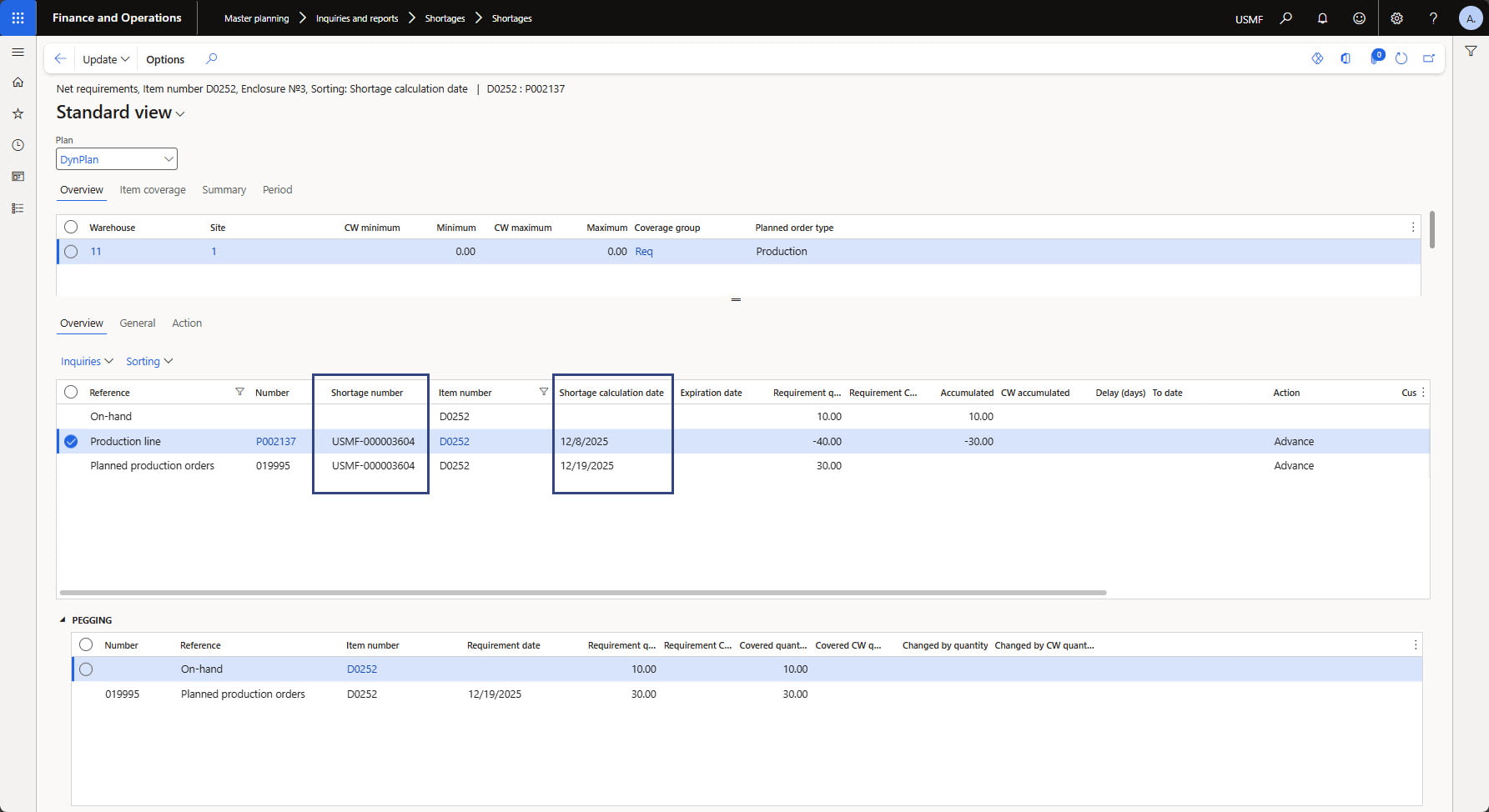
✅ Collect shortage data on periodic basis – the Shortage calculation functionality is set to run immediately after MRP and will analyze the latest Master Planning results and generate a final report on the shortages in the system.
 Pic 1: Shortage report in detailed view (per demand)
[MRP 2.0 Solution]
More details coming soon!