


Vehicle Resource Planning in the TMS Module of Dynamics 365 SCM
Pavel Novikov, Senior Functional Consultant at ICS, discusses how vehicle and loading dock resource planning can be automated in the TMS module of D365 SCM to greatly improve transportation planning process, especially at the last mile stage.
 16 Jan 2025






In the field of transport logistics, optimization of transportation processes is one of the key tasks that determine the efficiency of the entire supply chain. This includes aspects such as vehicle routing, carrier selection, planning of vehicle and loading dock resources for trips, as well as control over the execution of transportation. To help with these tasks, TMS (Transportation Management System) class systems are used. The TMS module in Microsoft Dynamics 365 SCM provides basic tools for creating and managing transportations, including Load Planning/Building Workbench and Rate Route Workbench. However, there is no functionality for detailed planning of vehicle and loading dock resources.
Importance of Vehicle and Loading Dock Resource Planning
Vehicle and loading dock resource planning becomes especially relevant in the context of multi-trip operations, such as ‘last mile’ transportations, where:
- The execution time of one trip is not long.
- One vehicle is used to perform several trips during one operational day.
An effective solution to this problem allows to:
- Minimize vehicle downtime.
- Optimize the use of loading docks.
- Reduce logistics costs.
Let’s discuss two options for solving this problem in D365SCM, which can be realised through modifications in the system.
Option 1: Manual planning using Gantt chart
Description:
The Gantt chart tool provides:
- Visualization of the list of available vehicles (resources) on the vertical axis.
- Visualization of resource distribution by loads over time on the horizontal axis.
Each vehicle is characterized by its type and its work schedule. Loads need to have a calculated route duration specified, which is determined either by calculating the optimal route or by assigning a scheduled route. The user then:
- Forms a pool of loads that require planning.
- Launches the Gantt chart, which displays vehicle resources and loads with their time intervals.
- Manually assigns resources to loads based on vehicle availability.
Example of use:
In our demo scenario, 28 loads and 10 vehicles are considered. To assign resources, the user selects a loads pool and runs a function with a Gantt chart, which will display vehicle resources and loads with their execution times.
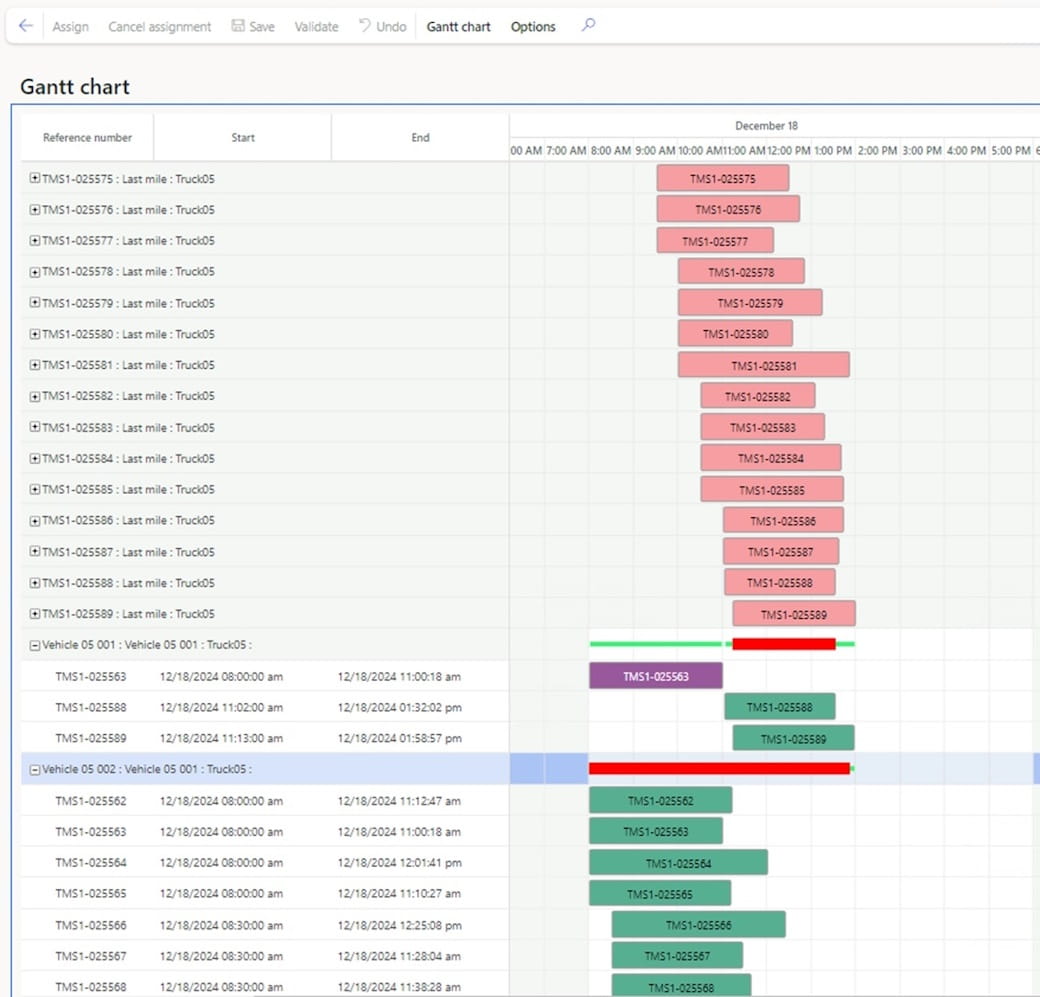
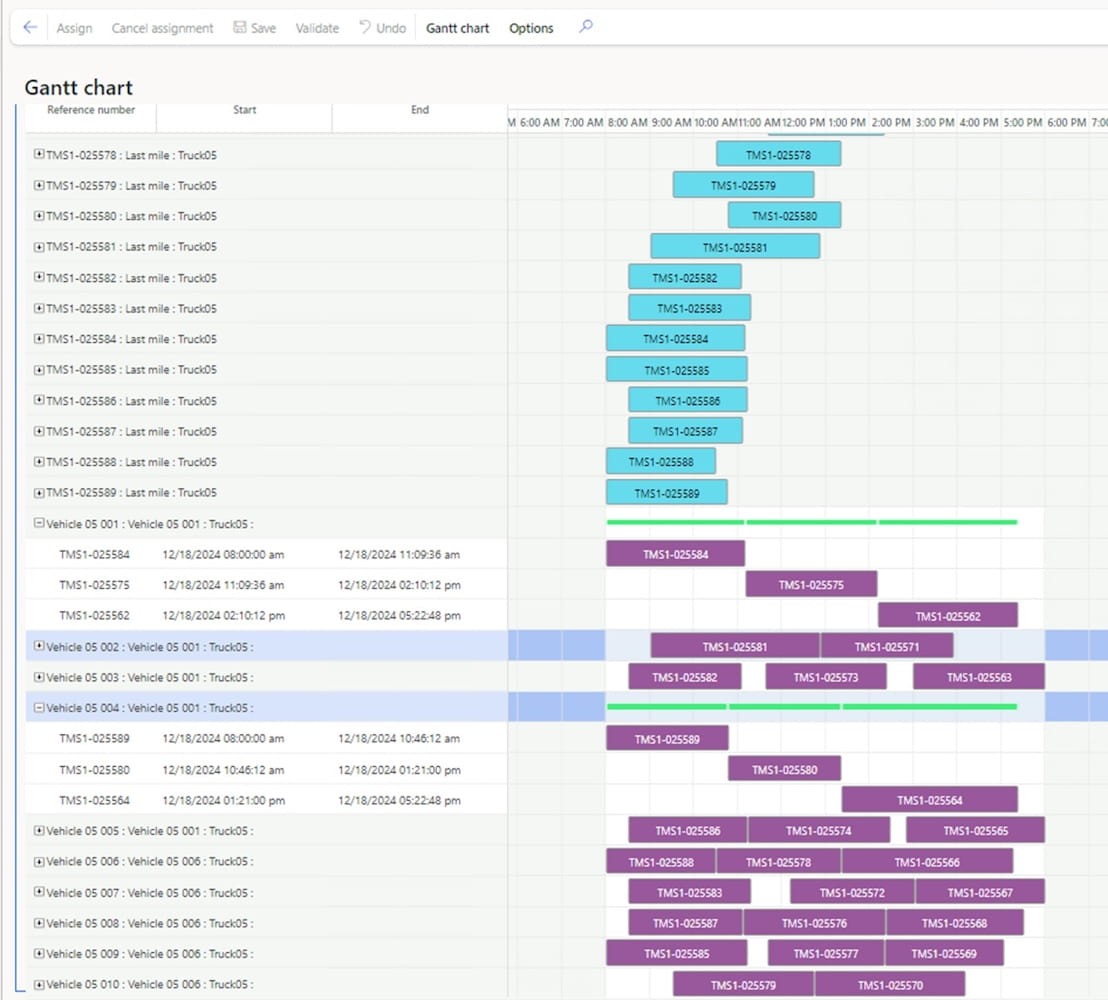
The Gantt chart in Fig. 1 is open for the loads pool (pink shapes) with a list of possible resources for each vehicle load (green shapes). After assigning a resource to a load, the colour of the resource shape changes to purple, and the colour of the load shape changes to blue. (Note: the colour of the shapes is customizable.)
On the Gantt chart, the user moves loads, avoiding intersections and optimizing the sequence of their execution.
Results:
- Assigned resources are displayed as coloured shapes.
- The user can adjust the time intervals of loads to improve the allocation of vehicle resources.
Limitations:
- The process is time consuming.
- Efficiency is directly dependent on the user’s expertise.
- Suitable for small volumes of transportation.
Option 2: Automatic planning using Master Planning
Description:
Master Planning functionality provides automated resource planning capabilities. To implement this approach, you need to:
- Make the basic necessary settings in the Production Control and Master Planning modules.
- Create Planned Production Orders with production routes that include execution time for loading and transport operations for each load.
- Define resource groups for vehicles and loading docks.
Master Planning automatically allocates resources taking into account the availability of vehicles and docks, as well as time constraints.
Benefits:
- Automation of the planning process.
- Possibility of joint planning of vehicles and loading docks.
- Reduction in the likelihood of errors in resource allocation.
Example of use:
In this demo scenario, 28 loads, 4 loading docks and 10 vehicles are considered. Master Planning calculates and allocates resources, the results of which are displayed on the Gantt chart.
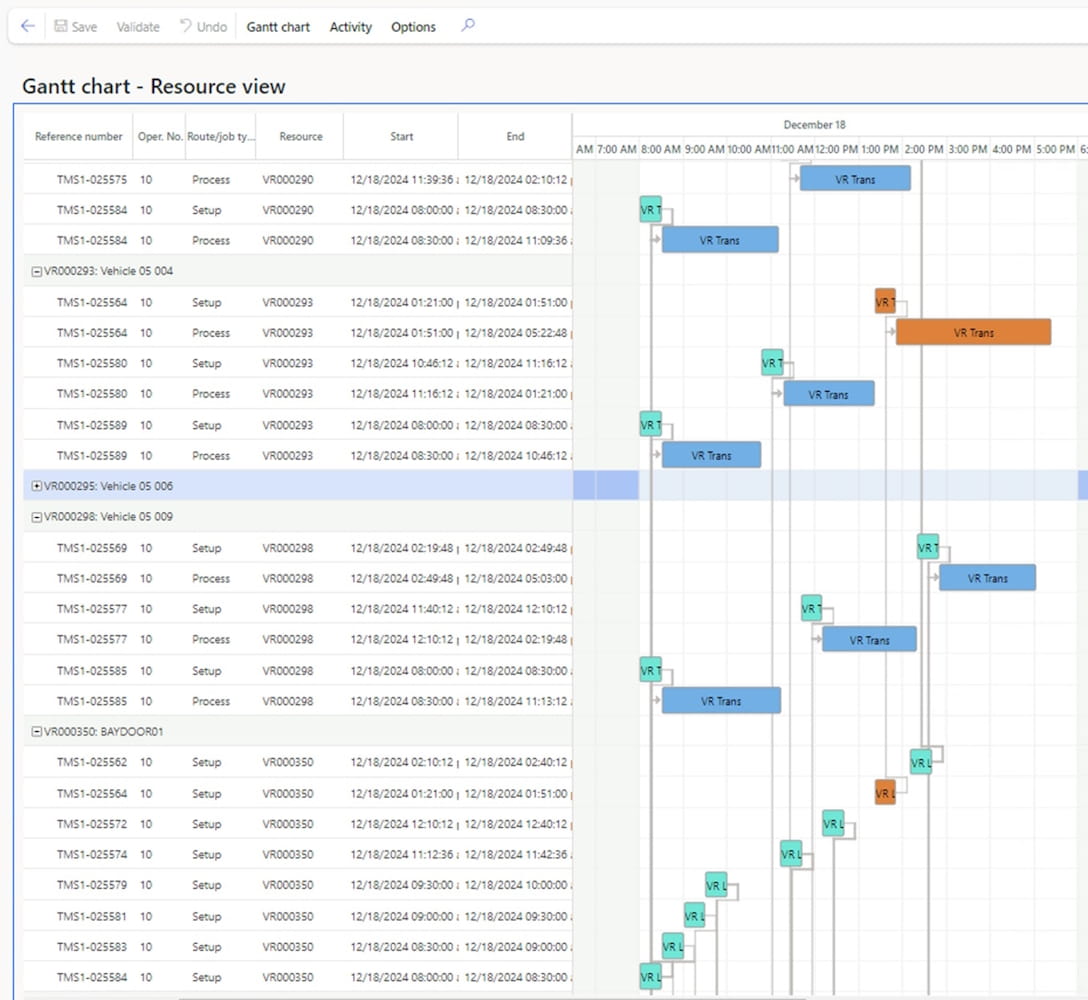
If the demand for vehicle resources for planning transportation is greater than the possible capacity of resources on the operational planning day, then on the Gantt chart we will see that the execution of some transportations is transferred to another day, which is not suitable for last mile transportations.
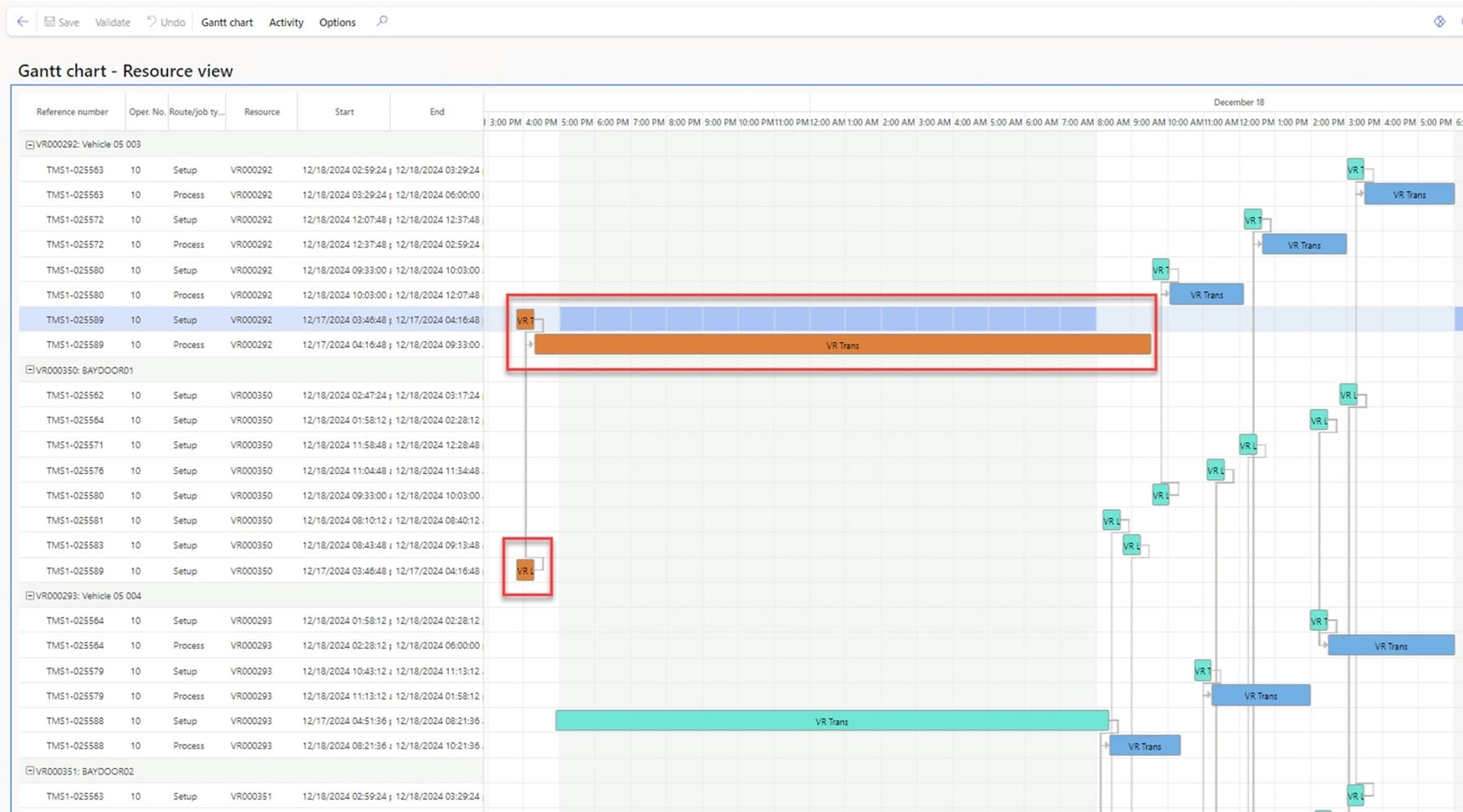
To analyse the results of planning and assigning resources to loads, you can display the assignment status:
- Scheduled – the resource is planned during the operational day.
- Ahead – the resource is planned before the operational day.
- Behind – the resource is planned after the operational day.
- Overlap – the route duration is longer than the operational day.
For proposed loads for which there was not enough resource capacity to plan transportations during the operational day, the system sets the resource assignment status to “Ahead” (Fig. 5).
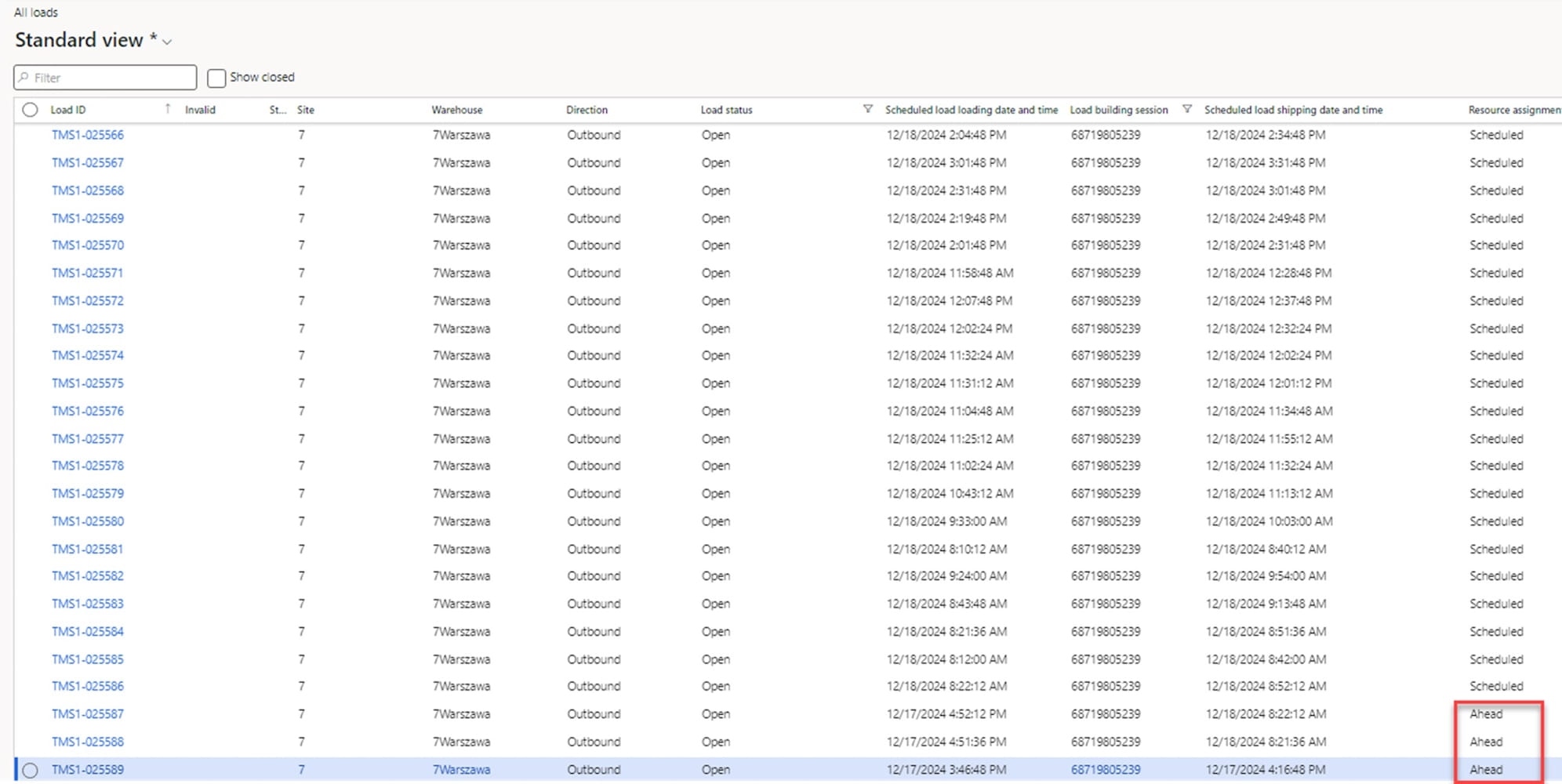
In such cases, you need to reschedule the resource assignment. There are several rescheduling options to obtain a planning result for one operational day. Let’s name them and look at the results of rescheduling:
a) Increasing the number of resources: adding additional vehicles or docks.
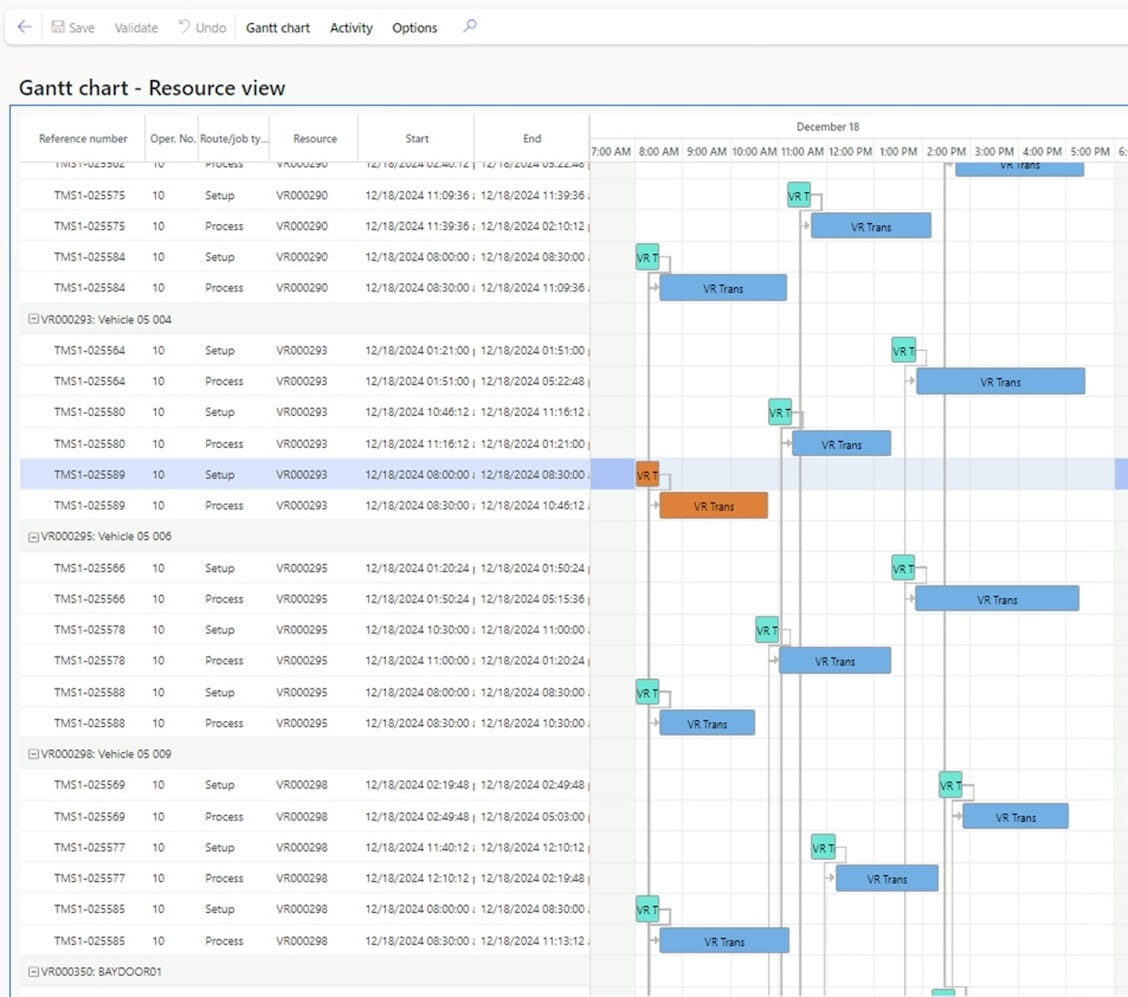
b) Increasing the duration of the operational day: increasing the operating time of vehicles and loading docks.
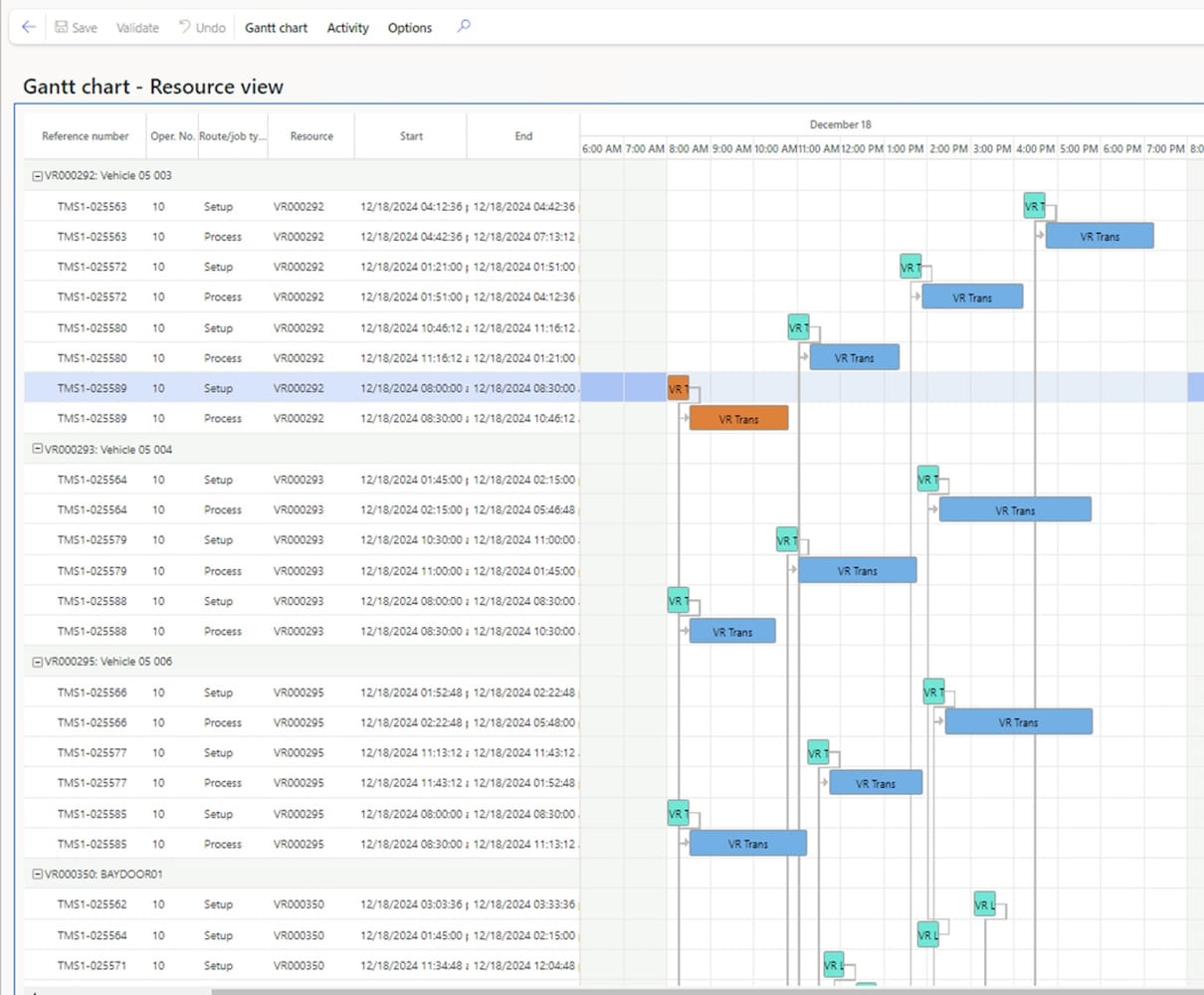
c) Reducing the number of trips: this can be achieved by moving the execution date for non-priority loads or changing the delivery date in the initial orders to create fewer loads.
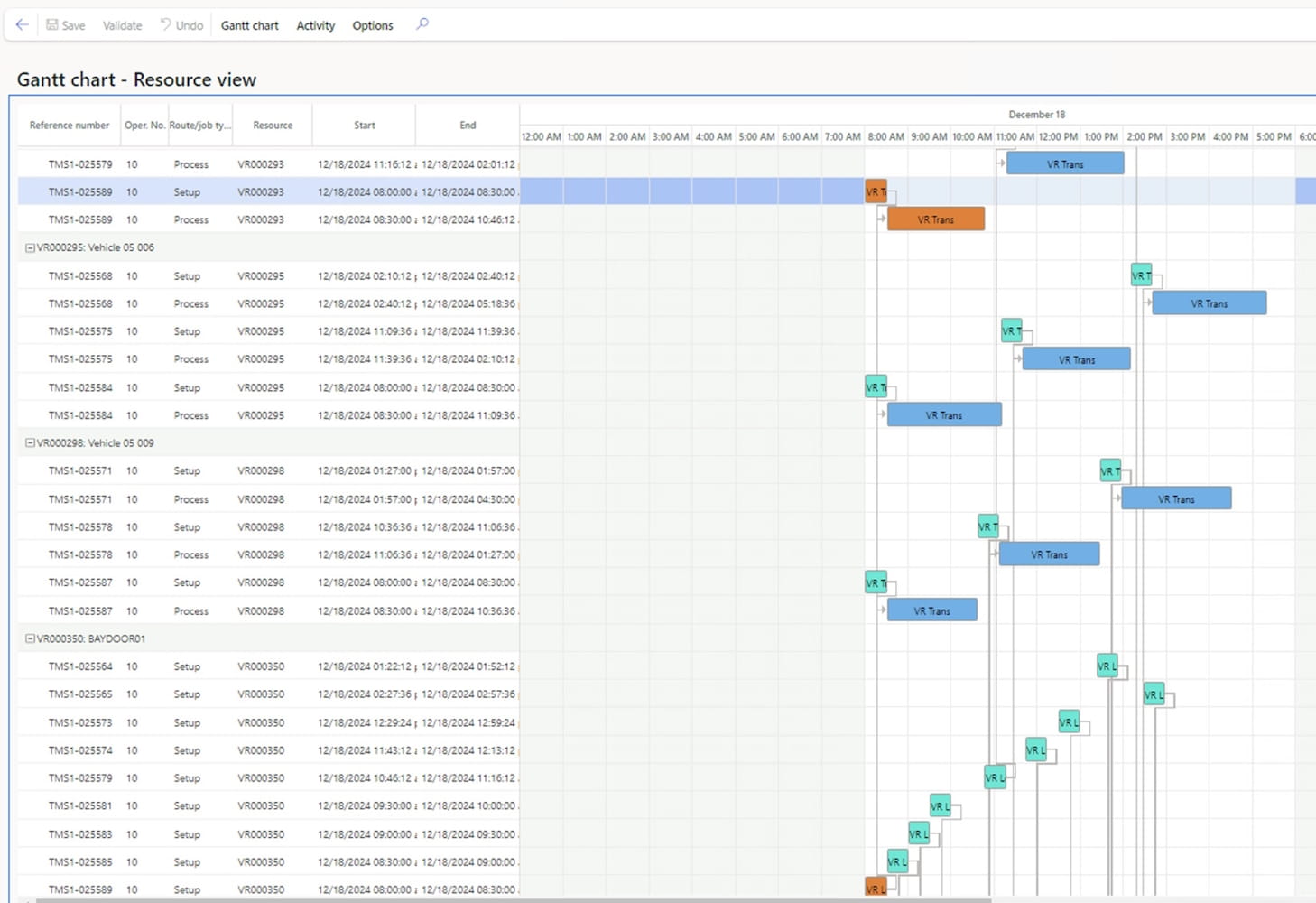
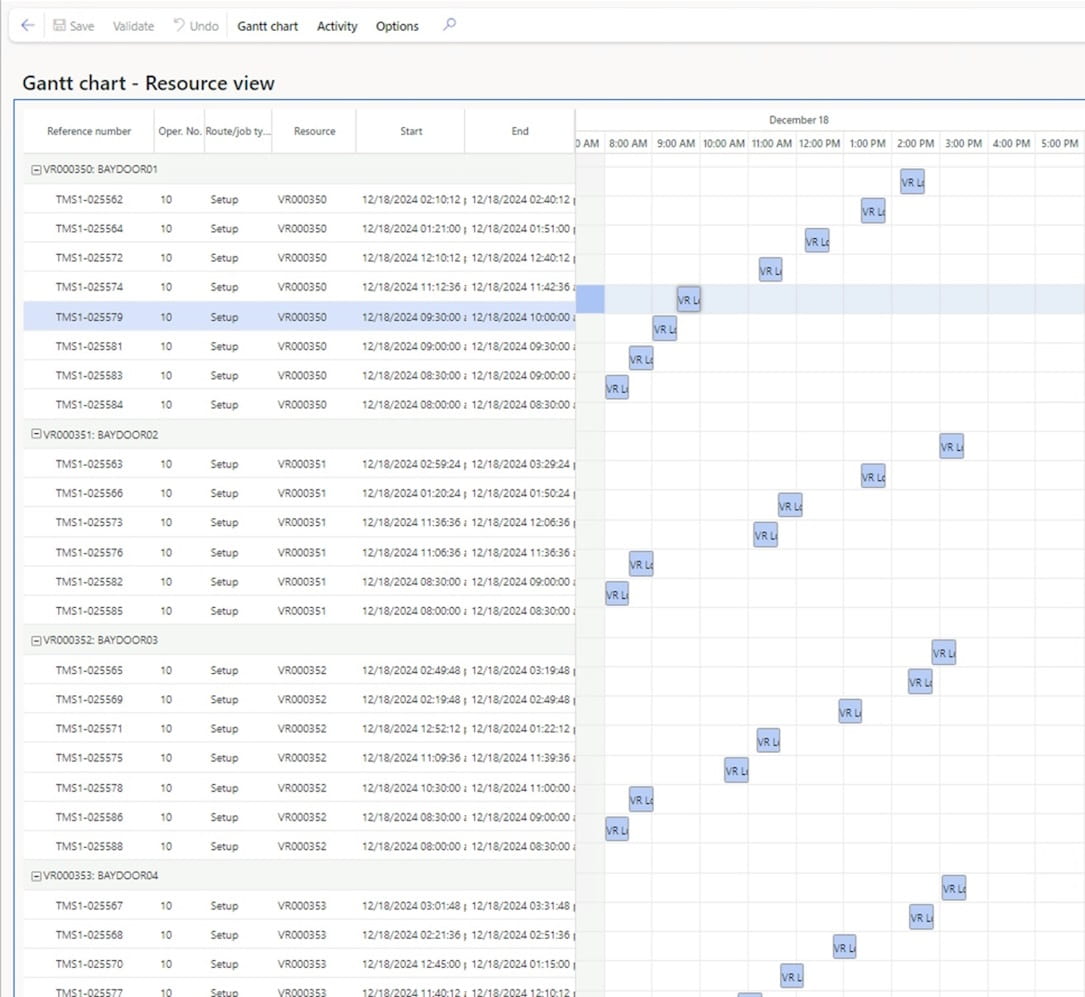
Once the vehicle and loading dock resource assignment planning is successfully completed, the vehicle and loading dock information will be set for the trips. Using the Gantt chart, you can see the loading schedule of the loading docks.
Results:
Once the planning is completed:
- Information about assigned vehicles and loading docks is saved in the system.
- The Gantt chart visualizes the loading schedule for the docks.
- Planned production orders are deleted after the trips are completed.
Conclusion
Modifications based on the Master Planning functionality significantly expand the capabilities of the TMS module in Dynamics 365 SCM. These improvements make the system more competitive with full-fledged TMS solutions.
In the near future, ICS plans to release a new version of its Vehicle Routing solution which will include functionality for multiple assignments of vehicle resources to trips. This new feature will allow you to effectively solve transportation planning and optimization tasks, especially at the last mile stage.
Customize, optimize and unlock the full potential of your Dynamics solutions with our expert guidance.