


 22 Sep 2026




“We could just build this ourselves.”
It’s a fair instinct, and we hear it often from IT teams weighing D365 batch job monitoring build vs buy decisions. On paper, it looks simple enough: check job status, detect failures, send notifications, provide some visibility. A few sprints, and you’re done.
In practice, it rarely stays that simple – and the comparison that actually matters isn’t software cost vs. software cost. It’s total cost, time, and risk, measured against a working outcome, not a working prototype. Once you lay those side by side, the case for a packaged D365 monitoring tool is usually the stronger one.
Time to Value
Building in-house means walking through the full cycle: requirements, architecture, development, testing, integration, deployment. And the project doesn’t end at go-live – batch job monitoring Dynamics 365 environments need isn’t a feature you ship once. It’s infrastructure that has to keep working as your D365 environment changes underneath it, which means the “build” project never fully closes.
A packaged solution skips almost all of that runway. [ICS] Monitoring Tool implements from two weeks, with installation and 16 hours of end-user training included. There’s no architecture phase, no development cycle, no testing sprint to get through first – the core logic, the notification pipeline, the dashboards already exist and are proven across other D365 environments. What’s left is configuration against your specific setup, not engineering from a blank page.
Total Cost of Ownership: The Number That Gets Missed
The number that gets compared first is almost always the wrong one. “How much would it cost to build” invites a smaller figure than the real total, because it’s easy to price out the development sprint and easy to forget everything that comes after it.
A custom build almost never stays inside its original budget once the full picture gets counted: internal team time pulled away from other priorities, testing cycles, ongoing maintenance, and – the part that’s easiest to underestimate – every future D365 update that risks quietly breaking something nobody’s specifically watching for. Six months after go-live, that monitoring script is either still absorbing someone’s time to keep it working, or it’s quietly drifting out of sync with a platform that keeps changing without it. Either way, “we saved money by building it in-house” is a claim that rarely survives the two-year mark.
This is where total cost of ownership for D365 solutions diverges sharply from the initial build estimate. A packaged, fixed-cost license with a defined update and support window turns most of that uncertainty into a known, one-time number. Not zero cost – but a number you can actually plan around, instead of an open-ended internal cost center that shows up unpredictably on someone’s sprint backlog six months from now.
ROI: The Real Question
The question worth asking isn’t “how much will development cost.” It’s “how quickly will the investment start generating value.” A lower initial development budget doesn’t automatically mean a lower total cost – it often just means the real cost hasn’t shown up on an invoice yet.
Count the full picture – development and implementation, internal team capacity, testing and deployment, future enhancements, ongoing maintenance, upgrades and compatibility work, and the opportunity cost of keeping engineers on infrastructure instead of the process work they’d otherwise be doing – and a build that looked cheaper on the initial estimate is very often the more expensive path by the time it’s actually delivering value. A packaged solution starts generating that value in weeks, with most of that list already accounted for in the license.
Build vs. Buy for ERP Monitoring: The Actual Decision
Build vs buy ERP monitoring was never really a technology decision. It’s a decision about how quickly you want a working solution in place, and where your organization wants to hold the long-term responsibility for keeping it working.
Held inside your own team’s backlog, that responsibility has no end date. Held inside a packaged solution with a defined support window, it has a boundary – and a start date measured in weeks, not quarters.
If you’re already scoping a build, it’s worth running the comparison against what a two-week implementation would actually cost you in total, not just the number on the development estimate.
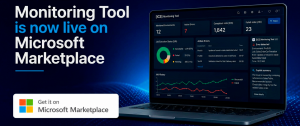
Want to run that comparison together? Book a demo session or see ICS Monitoring Tool on Microsoft Marketplace.