


[ICS] Transportation Package – New Feature Announcement
Exciting news! We’re pleased to announce the latest enhancement to our [ICS] Transportation Package: Trip creation by selecting orders on the map.
 27 Feb 2026







Last-mile transportation planning plays a critical role in meeting today’s delivery expectations, especially as order volumes increase and routes become more complex. To help organizations manage these challenges efficiently, our company offers [ICS] Transportation Package – a comprehensive D365 Supply Chain Management add-on designed to automate and optimize last-mile transportation planning.
This solution supports three typical transportation planning scenarios:
- Manual trip creation for a small number of orders with automatic route optimization
- Trip creation for regular routes with recurring customer orders
- Vehicle routing and automated trip generation for large volumes of orders
In the first scenario, planners manually assign orders to trips.
In the second and third scenarios, the system automatically selects and consolidates orders for trip creation.
For manual planning, we use the standard Load Planning Workbench functionality to create trips with standard filtering options – for example, by city or postal code. However, in many real-life cases, orders need to be grouped based on geographical zones rather than simple filters.
To address this requirement, we are excited to introduce a new feature in our solution: Trip creation by selecting orders directly on the map.
How It Works
From the Load Planning Workbench, the planner:
- Selects the order type
- Defines filtering criteria such as date and warehouse
- Opens the new interactive map form
On the map, all relevant delivery addresses are displayed. Each location includes a pop-up window showing:
- Delivery address
- Cargo quantity
- Planning status (Not planned, Partially planned, Planned)
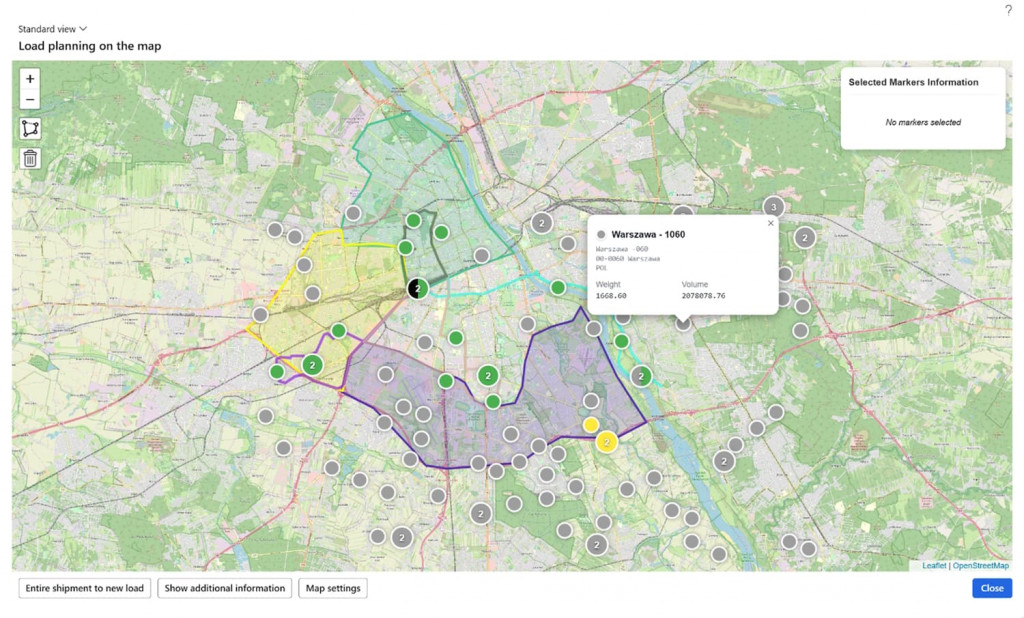
Orders can be selected individually by clicking on addresses or by drawing a geo-zone on the map.
The system immediately calculates and displays total cargo quantities for the selected orders.
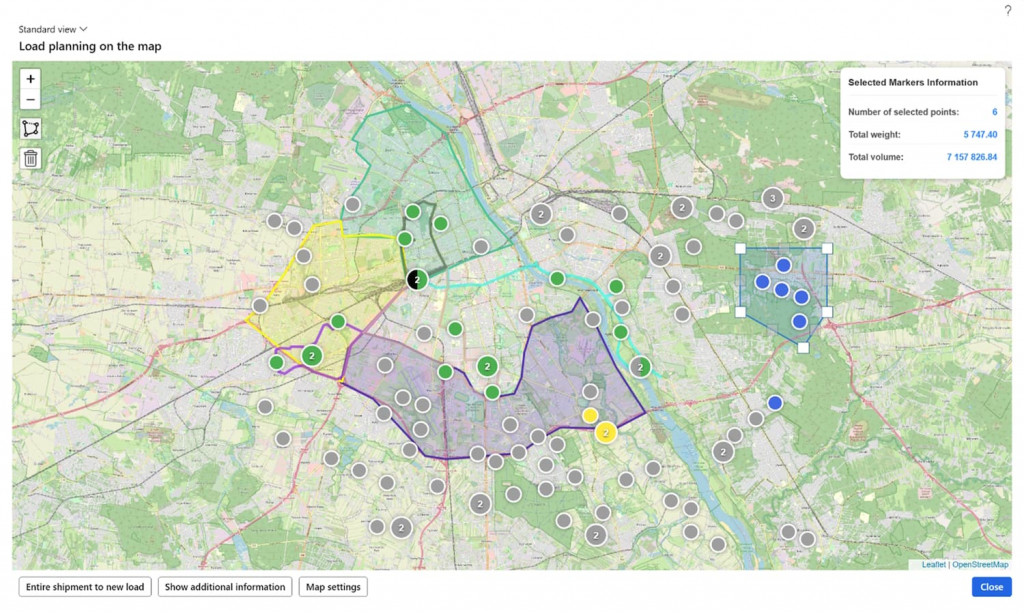
At this point, the planner has two options:
- Create a trip immediately for the selected orders
- Open a detailed form to refine the selection at the order or order line level
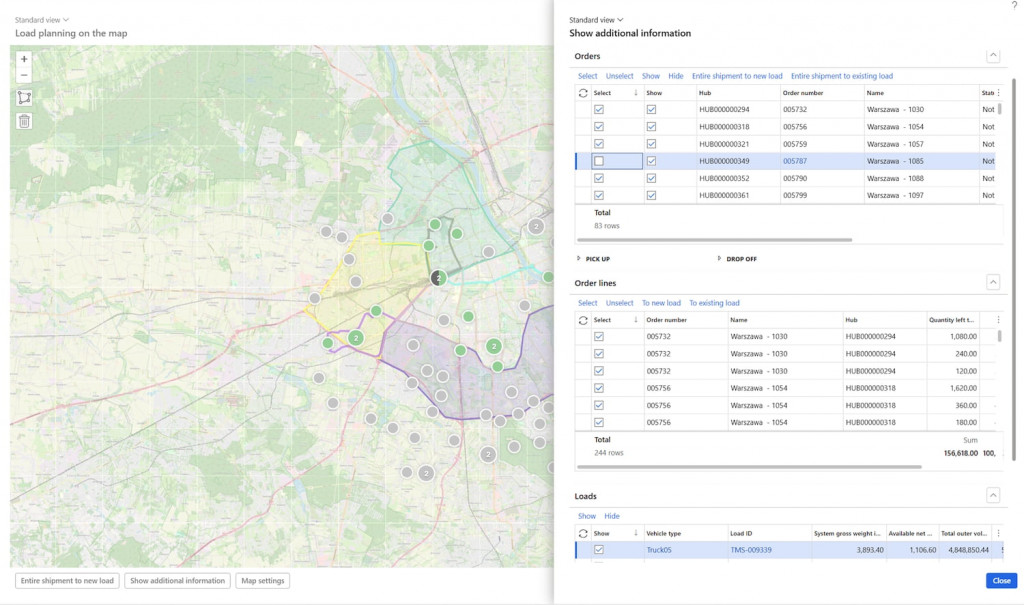
The process is fully iterative – planners can repeatedly select orders on the map and create trips, following the same logic as in the standard Load Planning Workbench process.
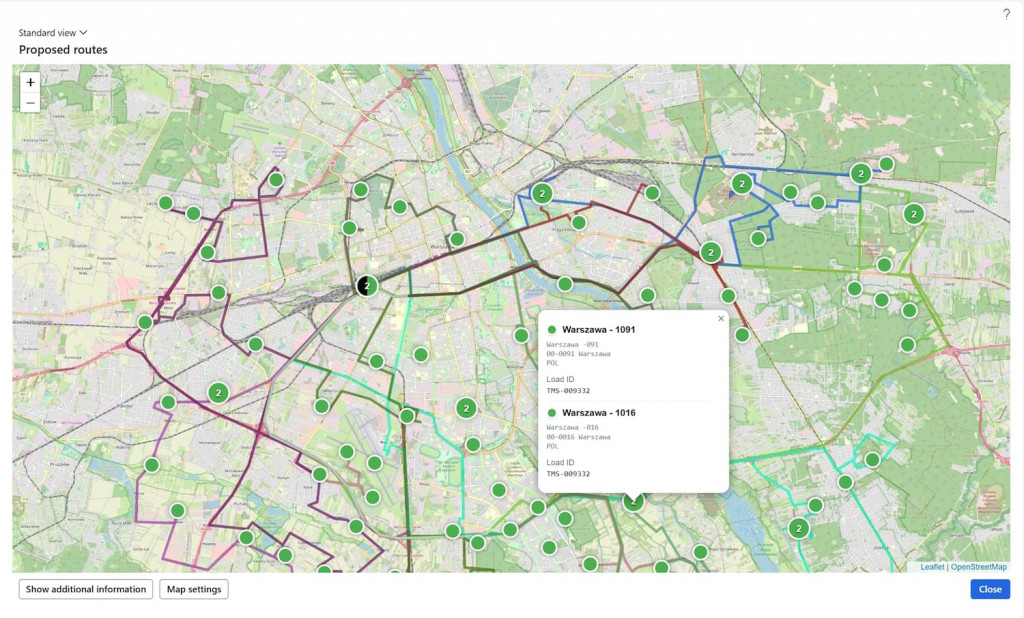
Map Visualization Enhancements
In addition, we are happy to announce that we have enhanced the map-based interface across other functionalities within our solution.
For example, this is how the calculated optimal route is now displayed on the map:
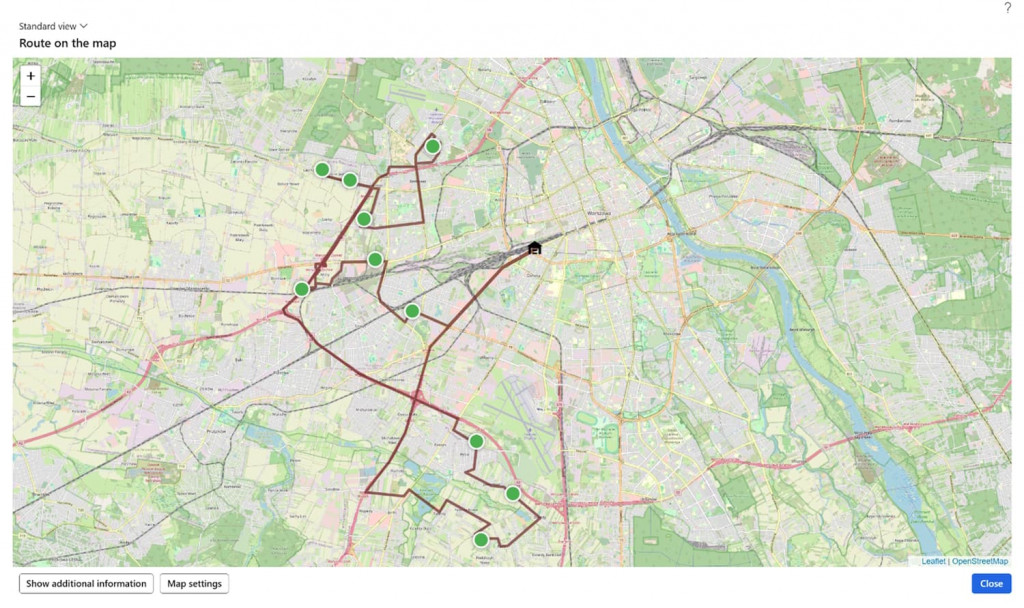
And this is the new look of calculated proposed routes on the map:
To learn more about [ICS] Transportation Package, explore its features and book your live demo, please visit this section of our website. Or simply email us at: vip@ic-service.net.

Great news from our Product team! We are excited to announce the release of an updated and vastly improved version of our [ICS] Transportation Package.
We are delighted to announce the release of an updated and improved version of our Logistics Center Solution.
It’s been a long time in the making, but it’s finally here! We are proud to announce the official release of our second suite of solutions – [ICS] Warehouse Package for Microsoft D365 Supply Chain Management.
Customize, optimize and unlock the full potential of your Dynamics system with our expert guidance.