


Test Data Without the Pain: How MCP & Copilot Simplify Initial Functional Testing
Manual test data preparation often becomes a bottleneck in early-stage testing of custom Dynamics 365 functionality. In this article, Yuliana Voronova, Senior Functional Consultant at ICS, explains how MCP and Copilot help automate test data creation and accelerate initial functional testing.
 08 Jan 2026







Why Test Data Is Critical for Initial Functional Testing
The success of custom functionality is determined long before business users start working with it. A key role here is played by initial functional testing, which makes it possible to ensure that the implemented logic works correctly and meets project expectations.
At this stage, it is especially important not only to test the functionality itself, but also to create conditions that are as close as possible to real business scenarios. New functionality relies on unique business logic, configurations, and relationships between data that are typically not available out of the box. Without properly prepared test data, it is impossible to objectively validate how the solution will behave in real-life conditions.

In practice, teams regularly face the following challenges:
- Testing requires preparing a set of master data that reflects specific business scenarios.
- A significant portion of the team’s time is spent not on validating functionality, but on manually creating and adjusting data.
As a result, initial functional testing slows down, and teams are forced to focus on supporting activities instead of solution quality.
This raises an important question: how can test data preparation and testing be accelerated and simplified while maintaining control over business logic and test quality?
Modern AI tools make it possible to rethink this stage and turn test data preparation and functional testing into a manageable part of the development process rather than a project bottleneck.
In this article, we look at how MCP and Copilot can be used during initial functional testing, starting with the very first and most critical step – test data creation.
What Is MCP
The Model Context Protocol (MCP) allows Copilot Studio to connect to existing knowledge servers and data sources. As a result, Copilot gains real-time access to up-to-date tools, data, and internal services within your system.
This simplifies workflows and increases productivity: AI becomes not just a suggestion generator, but a reliable assistant that understands the context of your environment and helps complete tasks faster and more accurately.
Together with Copilot, MCP enables automated test data creation in Dynamics 365. It becomes possible to quickly generate data sets that respect dependencies between entities and system configurations – without manual data preparation.
As a result, teams save time and effort and can focus on functional validation and test quality instead of routine data-related tasks.
How We Use MCP and Copilot to Create Test Data
The initial phase of testing custom functionality always starts on the development side. This is where it is critical to validate the implemented logic as quickly and effectively as possible and confirm that the solution is ready for the next project stages. In practice, this phase is often slowed down not by development itself, but by the need to prepare test data. We use MCP and Copilot to automate data creation specifically for initial functional testing performed by developers and/or consultants. This approach becomes an effective alternative to manual data creation or constant involvement of consultants to support development.
The key principle of this approach is no additional overhead for the team. As input, we use existing project artifacts: Functional Design Documents (FDDs) and test scenarios prepared by consultants. These textual descriptions already contain all the information required to generate test data and do not require preparation of additional instructions.
After executing the relevant prompts, the developer only needs to review the generated data and proceed directly to functional testing. This significantly reduces the preparation phase and allows faster feedback on the implemented solution.
It is important to note that this scenario is equally effective for both developers and consultants. MCP and Copilot do not replace expertise – they amplify it. Specialists retain full control over the process, while routine data creation tasks are completed faster and more consistently.
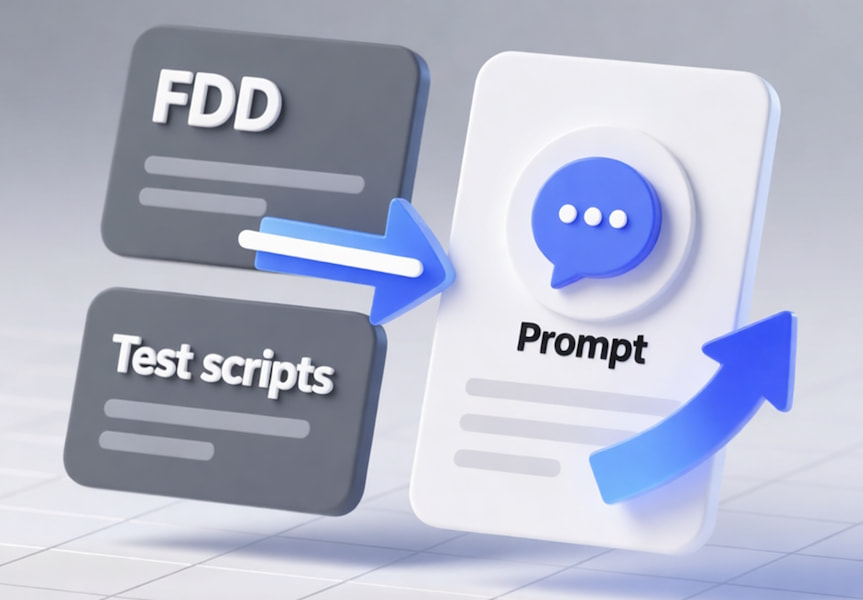
As a result, teams focus on solution quality and business logic rather than auxiliary tasks that do not create additional business value.
To clearly demonstrate how this approach works in practice, the following sections provide concrete examples of using MCP and Copilot: the prompts we use, the resulting data, and how this accelerates initial functional testing of custom D365 functionality.
Prompt Examples and Results
Let’s look at an example from a project where our inhouse product team is developing [ICS] Transportation Package, a D365 add-on solution for Transportation Management.
After implementing vehicle management functionality, the logic must be tested – which is impossible without first setting up master data. For testing, related parameters need to be created: Vehicle Brand, Vehicle Type, and Vehicle Model.
These data entities serve as preconditions in test cases and are described by consultants in test scripts.
Below are examples of prompts and results that demonstrate how MCP and Copilot automatically create the required test data.
Example 1: Creating Vehicle Brands
First, a vehicle brand master had to be created.
Sample prompt:
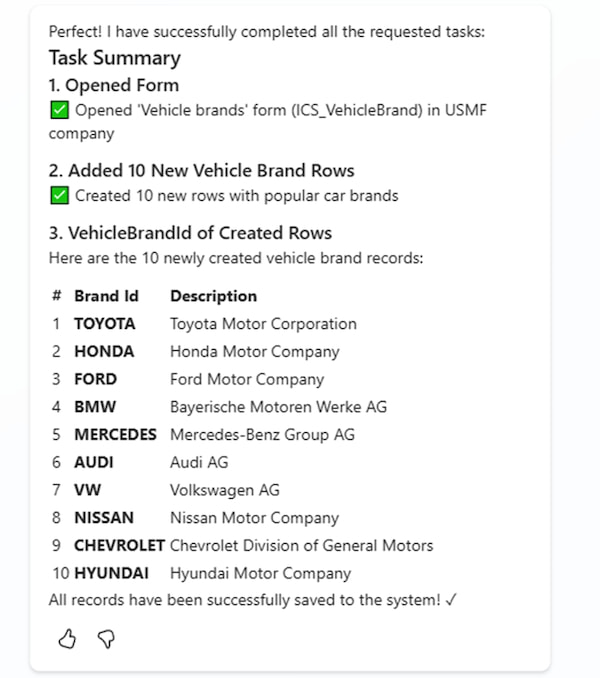
1. Open 'Vehicle brands' form (ICS_VehicleBrand) in USMF.2. Add 10 new rows with unique Brand Id (VehicleBrandId). Use popular car brands. Set brand id and description for it.3. Return VehicleBrandId of created rows. |
Result:
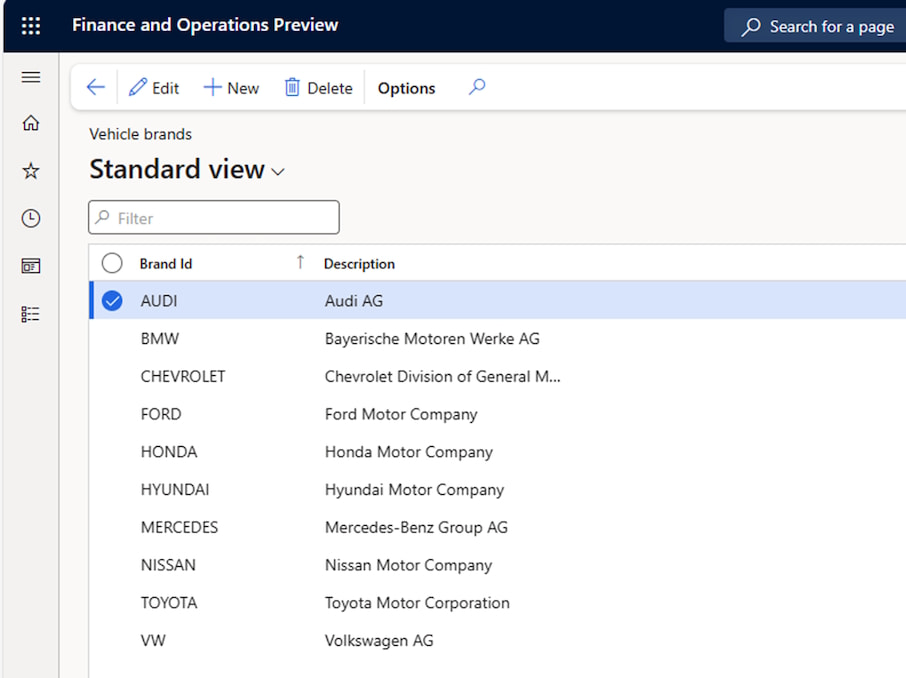
Copilot, connected via MCP, automatically created 10 Vehicle Brand records for a company USMF. The records were correctly populated with popular vehicle brands and descriptions, and the identifiers were returned for use in subsequent steps.
Prompt execution took approximately 3 minutes.
Example 2: Creating Vehicle Types
The next step was configuring vehicle types based on different load templates.
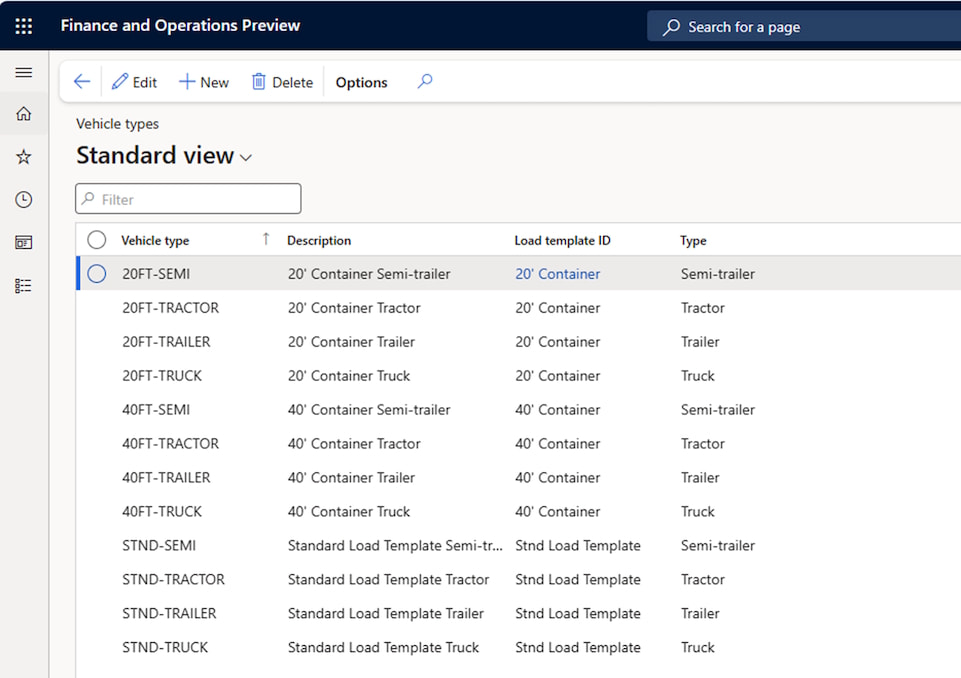
To improve stability, the process was split into multiple prompts, each creating vehicle types for a specific Load Template (20’ Container, 40’ Container, and Standard Load Template).
Sample prompt:
1. Open 'Vehicle types' form (ICS_VehicleType) in USMF.2. Add new rows.3. Return VehicleTypeId of created rows. |
Result:
For each Load Template, the corresponding Vehicle Types were created automatically with correct parameters. Each prompt execution took on average around 2 minutes.
The generated data was well-structured and immediately ready for use in further testing scenarios.
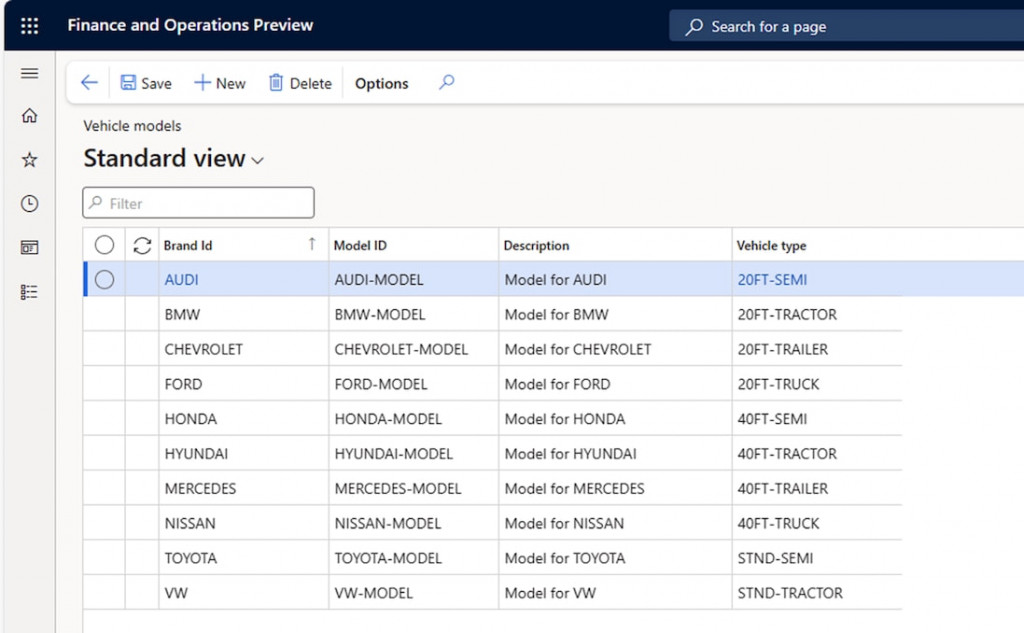
Example 3: Creating Vehicle Models
Finally, vehicle models needed to be created and linked to the previously created brands and types.
Sample prompt:
1. Open 'Vehicle models' form (ICS_VehicleModel) in USMF.2. Add new rows.3. Return VehicleModelId of created rows. |
Result:
A consistent set of Vehicle Models was created and correctly linked to Brands and Vehicle Types. Execution took approximately 2–3 minutes, after which the data could be immediately used for testing custom functionality.
Outcome and Impact
The complete creation of the master data set using MCP and Copilot took approximately 12 minutes. For comparison, manual creation of similar data by a consultant took around 16 minutes.
Even with this relatively small data volume, the time difference is noticeable. More importantly, when using MCP, developers do not need deep knowledge of master data setup – it is sufficient to review the result and proceed directly to functional testing.
In all examples, the generated data was:
- Logically consistent and aligned with business rules.
- Structured and aware of dependencies between entities.
- Ready for real testing without additional refinement.
This example clearly demonstrates how MCP and Copilot accelerate initial functional testing and reduce team workload while maintaining control and quality.
Benefits and Limitations of the Approach
| Benefits of Using MCP and Copilot | Limitations to Consider |
|---|---|
| ✅ Significant reduction in manual effort Test data creation is no longer a routine task. Teams no longer spend time navigating forms, searching for parameters, and manually validating dependencies. ✅ Fast start of initial functional testing Data is created directly in the D365 environment and is immediately ready for use. This is especially valuable in early stages when functionality has just been implemented, and quick verification of the logic is required. ✅ Minimal additional preparation Existing project artifacts such as FDDs, test cases, and documentation are used as input. ✅ Controlled results Copilot returns identifiers of created records, making it easy to validate and reuse data in subsequent tests. | ⚠️ Mass operations require reasonable fragmentation When creating large volumes of records, operations should be split into multiple steps to avoid system limitations and execution errors. ⚠️ Output quality depends on input quality Copilot does not replace analytical work. Clearly described business scenarios and expected outcomes remain key factors for successful results. ⚠️ Expert oversight remains essential Humans manage the process: reviewing data, validating correctness, and deciding readiness for testing. |
Conclusion
Using MCP and Copilot during initial functional testing is not an attempt to “automate everything,” but a practical way to remove a traditional bottleneck — manual test data preparation.
This approach enables faster transition from development to business logic validation, reduces dependencies between teams, and makes early testing more predictable and manageable. For projects with custom D365 functionality, this becomes not just a convenience, but a logical step toward a more mature and efficient development and testing process.

What’s Next
In our next article, we will focus on the functional testing process itself using MCP and Copilot — covering practical scenarios, common tasks, and real-world limitations of the approach.
If you’d like to learn more about how we use AI tools in Dynamics 365 projects, or discuss how they could be applied in your own implementation, feel free to contact our team.
Customize, optimize and unlock the full potential of your Dynamics system with our expert guidance.